
The Project Transactions report displays all relevant financial and operational transactions related to a Project and job. It can be created independently of other reports, while also serving as a detailed breakdown of the Project Finance report down to the level of source documents, thereby providing transparency, verification, and tracking of each individual transaction. Its primary purpose is to provide the user with a complete picture of the financial and operational performance of the project, based on which profitability is analyzed, liquidity is monitored, indebtedness is assessed, assets and liabilities are controlled, and resource engagement is tracked through recorded hours. Therefore, it is used for financial project management, control of income and expenses, transaction auditing, preparation of detailed reports, and business decision-making.
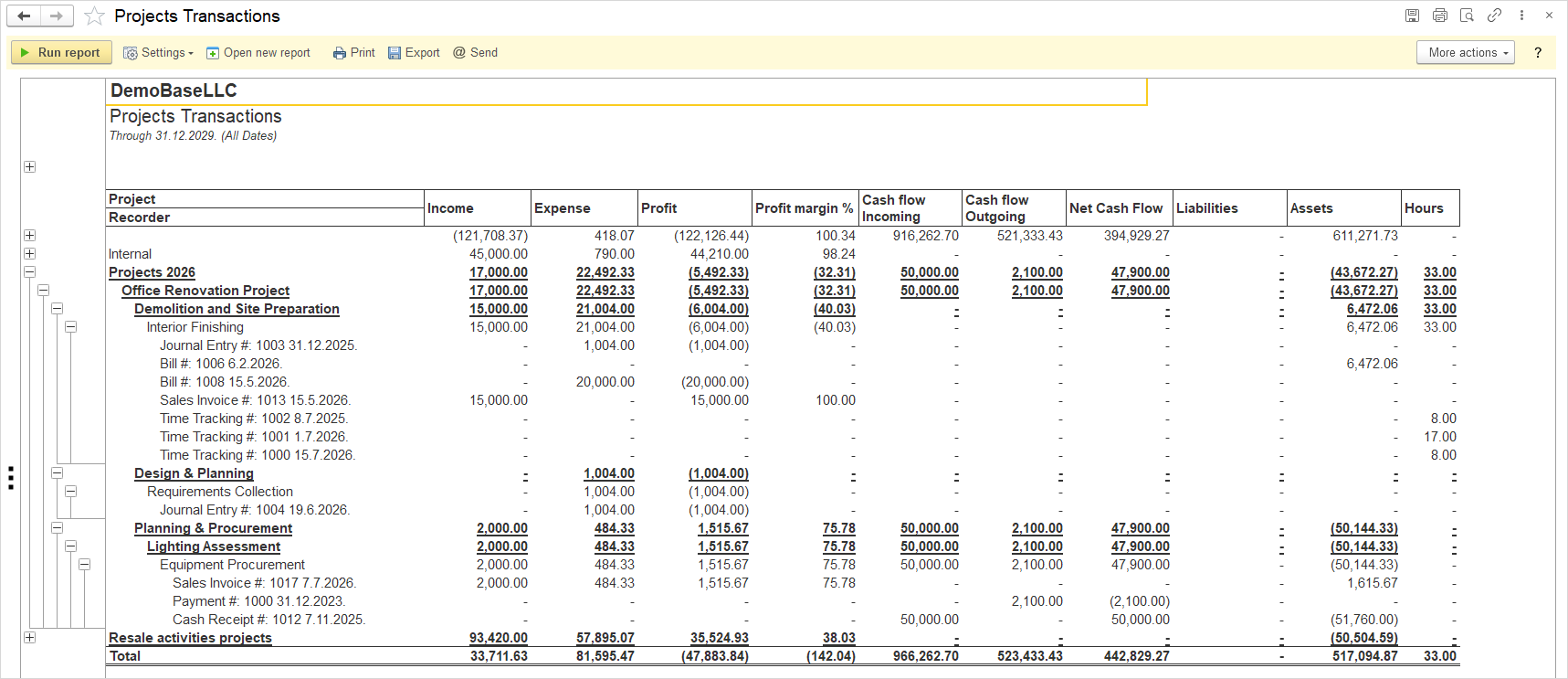
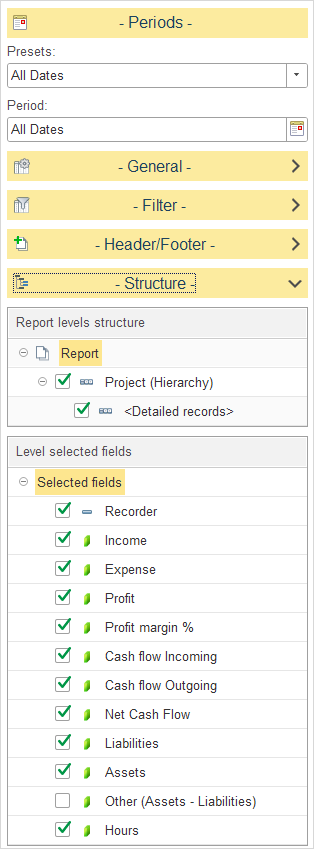
Within the Report levels structure, select how Project Transaction data is grouped in the report.
The following levels are available:
- Project (Hierarchy) – groups transactions according to the project hierarchy (Master Project → Phase → Job).
- Detailed records – displays the individual transactions or source documents recorded for each Job, Phase, or Master Project.
- Income – Displays the income generated.
- Expense – Displays the expenses incurred.
- Profit – Displays the profit generated, calculated as the difference between income and expenses.
- Profit Margin % – Displays the profit margin expressed as a percentage of income.
- Cash Flow Incoming – Displays incoming cash flows.
- Cash Flow Outgoing – Displays outgoing cash flows.
- Net Cash Flow – Displays the net cash flow, calculated as the difference between incoming and outgoing cash flows.
- Liabilities – Displays liabilities.
- Assets – Displays assets.
- Other (Assets – Liabilities) – Displays the difference between assets and liabilities.
- Hours – Displays the number of recorded working hours.