
Accounting for profit tax (corporate income tax) is a fundamental task for any business. Whether you run a small LLC with straightforward taxable income or a larger enterprise with tax-exempt revenue and non-deductible expenses, AccountingSuite provides the tools you need to track your tax liability accurately.
Depending on the Income and Expenses Closing Option, the workflow for Profit tax calculation and Posting will look like following:
Option 1 (two-step closing, using summary accounts)
- Closing Income and Expenses to Summary Accounts
- Calculation for Profit tax base and amount (excluding the non-taxable items, if applicable)
- Accrual for Profit Tax expense
- Closing Retained Earnings
Option 2 (one-step closing, no summary accounts)
- Closing Retained Earnings
- Calculation for Profit tax base and amount (excluding the non-taxable items, if applicable)
- Accrual for Profit Tax expense
- Re-Closing Retained Earnings to reduce the RE for the annual income tax expense amount
Non-taxable Line Items Settings #
For profit tax, the most common non-deductible expenses are personal or domestic costs, fines and penalties, political contributions, commuting costs, and business entertainment that doesn’t meet the tax rules.
Within the Chart of Accounts, accounts with the categories Expenses and Income have the Non-taxable option. This option means the account is tagged for tax reporting only. The account still posts through profit or loss; the non-taxable flag is used to identify items that should be excluded from taxable profit or added back in the tax computation.
- For income accounts, the setting marks receipts that are not taxable for income tax purposes.
- For expense accounts, it marks costs that are not deductible for tax purposes.
- The setting does not change the classification of the account in the financial statements.
Users should create two separate accounts: one assigned the non-taxable tag and another left untagged. This approach ensures that taxable and non-taxable expenses are recorded separately and treated correctly in the accounting records.
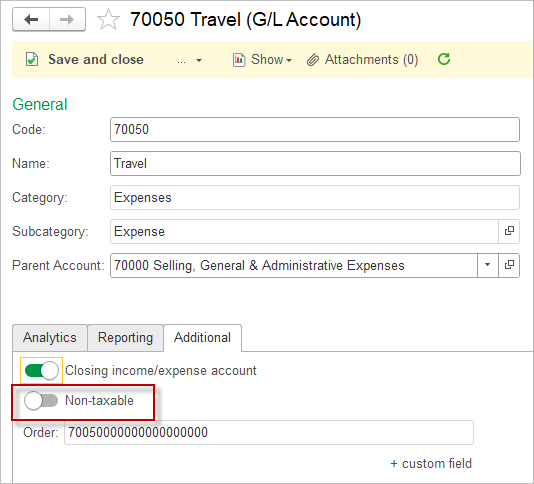
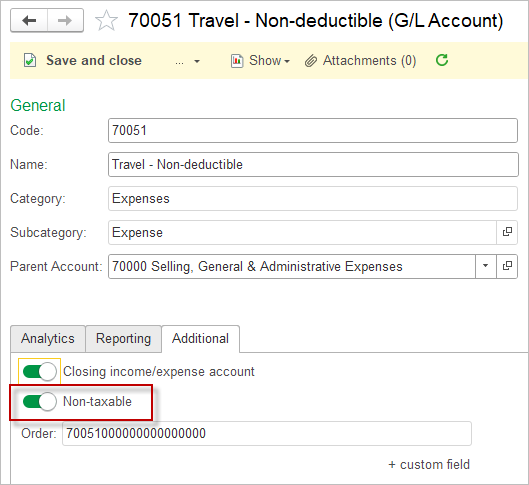
When posting the supporting documents, users should also enter two distinct line items to split the expense between the two accounts. Each line item should reflect the relevant portion of the total amount, allowing the transaction to be allocated accurately and in line with the applicable tax treatment.
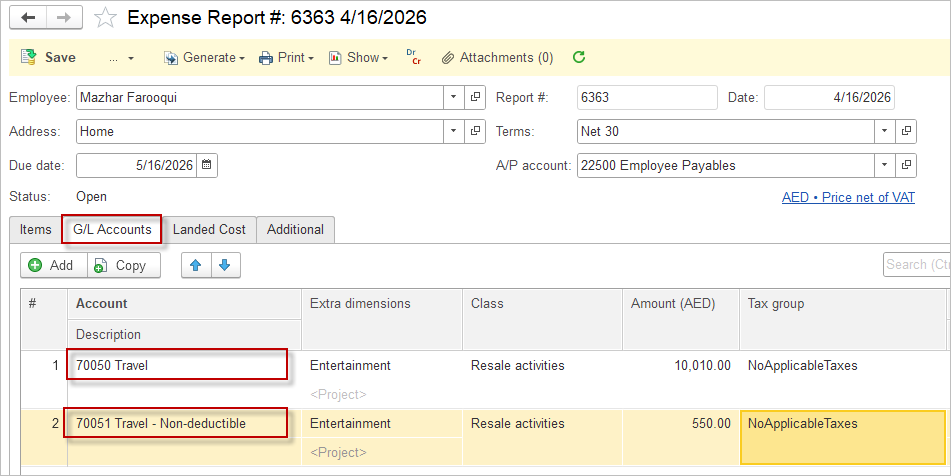

The exact list depends on the country’s profit tax rules, and some items are only partly deductible or deductible only if strict conditions are met. Always consult a qualified local tax professional or advisor to ensure compliance with applicable laws and regulations.
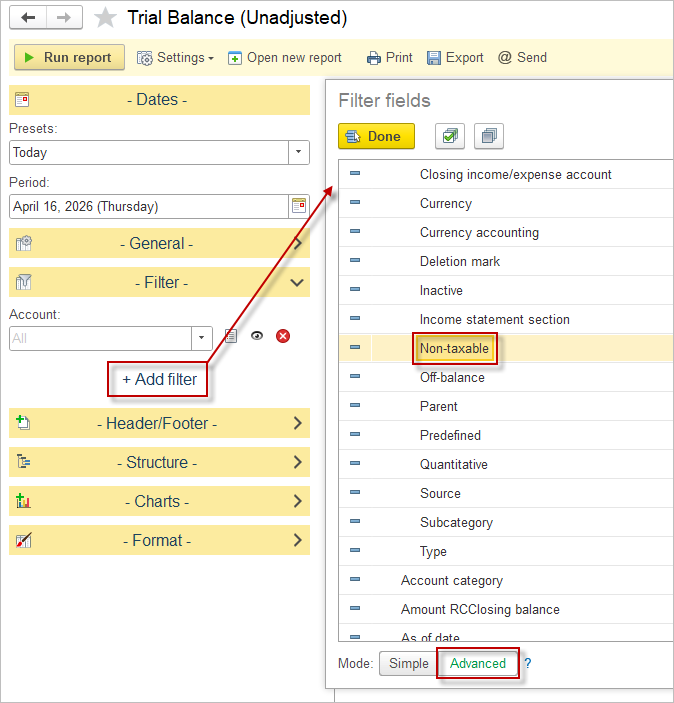
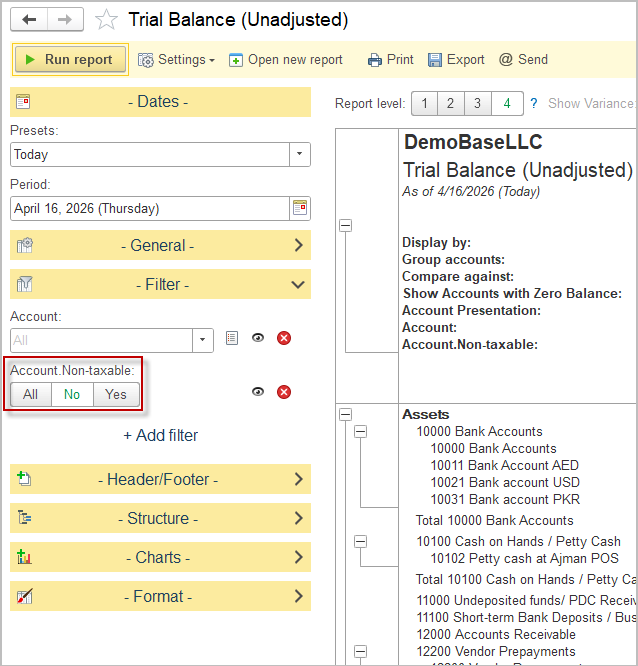
To revise the non-taxable items, users should apply the relevant filter in the trial balance. This allows them to isolate the accounts or balances associated with non-taxable amounts and review them more efficiently.
Option 1. Using Summary accounts #
Step 1. Post the closing income and expense entries to the summary accounts specified in the Accounting settings.
Step 2. Review the Trial balance to verify that no balances remain in the income and expense accounts after closing.
Step 3. Review the non-taxable items and identify any amounts that should be excluded from taxable profit.
Step 4. Calculate the income tax calculation base using the following approach:
- total income (1) adjusted for non-taxable income (3) less
- total expenses (2)adjusted for non-taxable expenses (4)
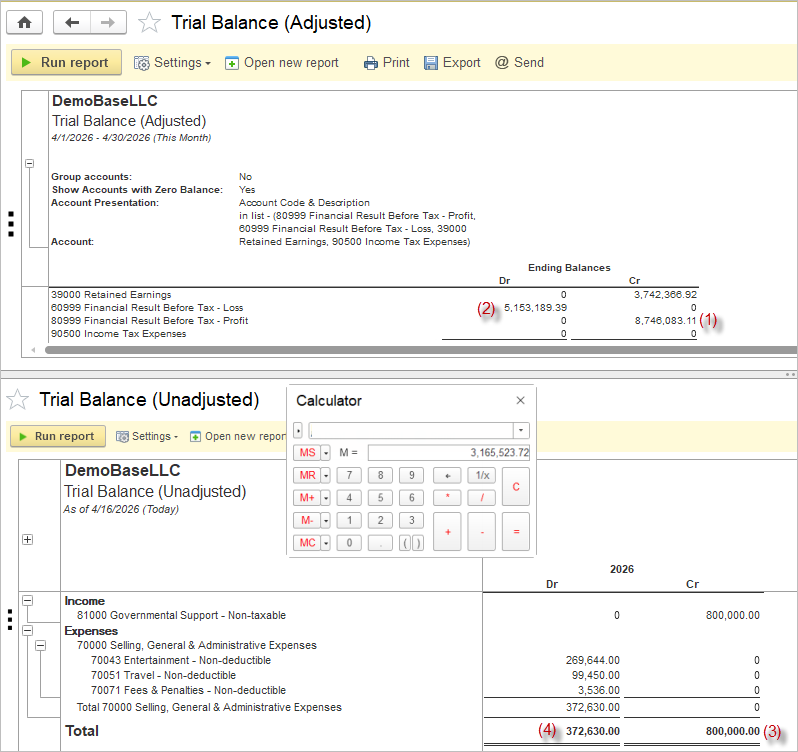
Step 5. Apply the income tax rate to the tax calculation base to derive the tax payable and record the income tax expense through a Journal Entry.
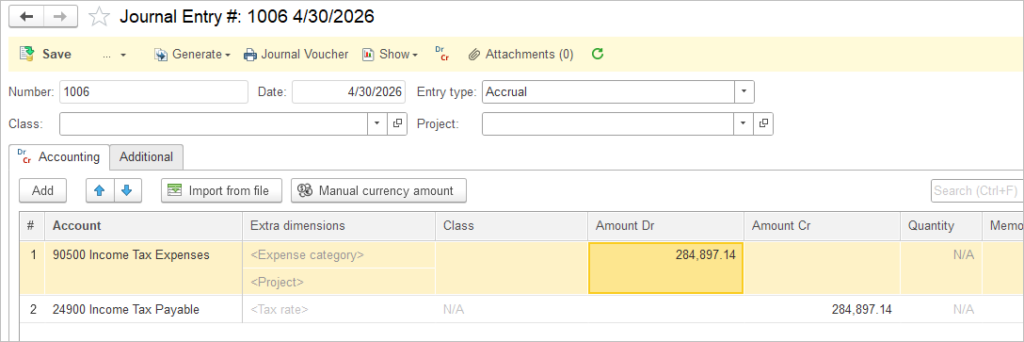
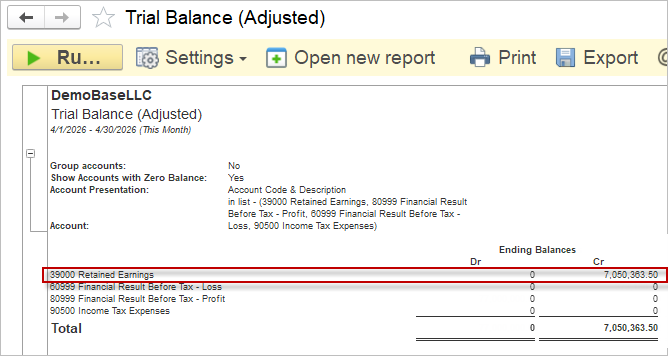
Step 6. Review the Trial Balance to confirm that balances remain only in the Income and Expense Summary accounts and the Income Tax Expense account.
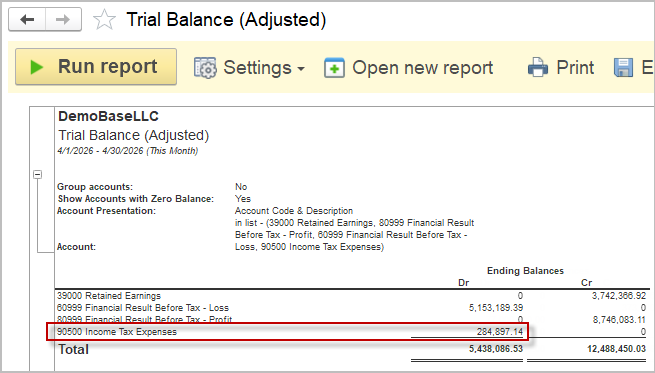
Step 7. Post the Closing retained earnings entry to close ths Summary and the income tax expense account.
Option 2. Closing directly to Retained Earnings #
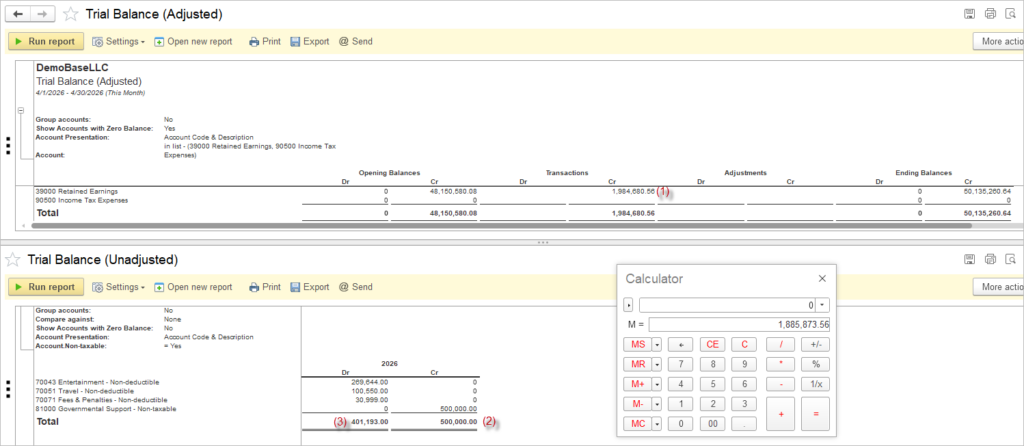
Step 1. Post the closing retained earnings entry.
Step 2. Review the trial balance for the income and expense accounts to confirm that no balances remain.
Step 3. The resulting debit or credit figure should reflect the profit/loss before tax (1). Calculate the income tax calculation base as profit/loss before tax (1), adjusted for non-taxable income (2) and non-taxable expenses (3).
Step 4. Apply the income tax rate to the tax calculation base to derive the tax payable and record the income tax expense through a Journal Entry.
Step 5. Review the Trial Balance to confirm that balances remain only in the Income Tax Expense account.
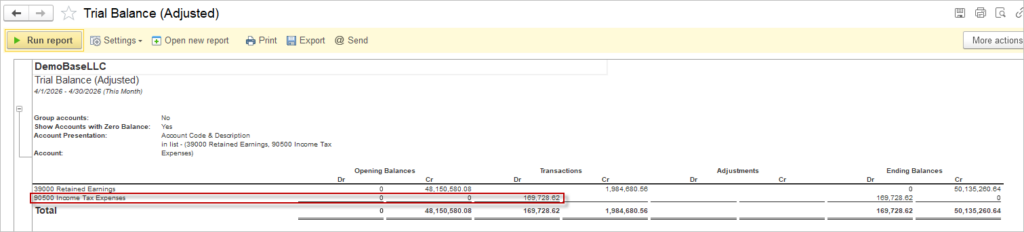
Step 6. Re-post the Closing retained earnings entry from the Step 1 to close the income tax expense account.

Step 7. Settle the income tax liability with a Payment document when the amount becomes due.