Fixed Asset List (Summary) #
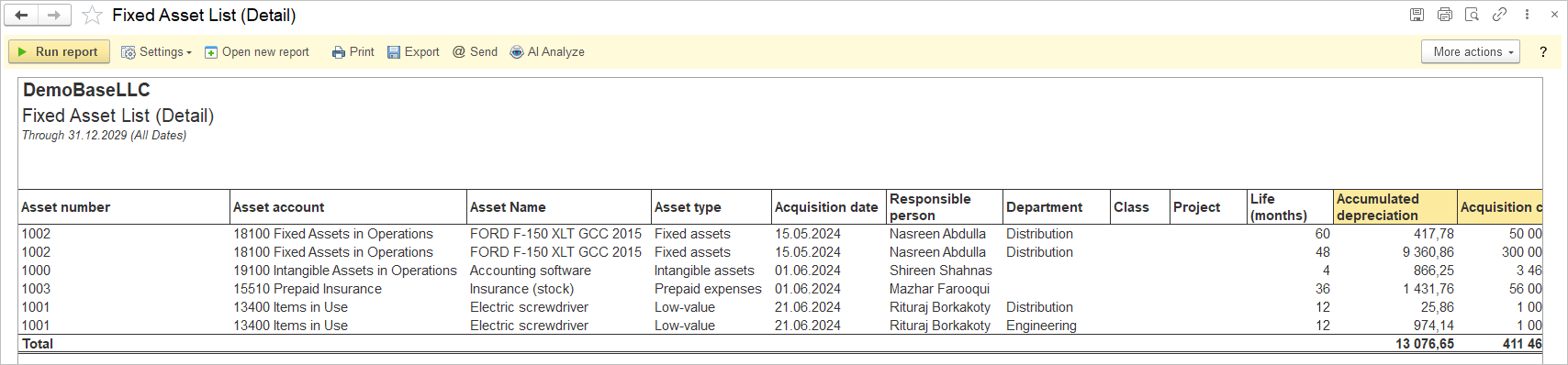
The Fixed Asset List (Summary) report provides a comprehensive overview of an organization’s fixed assets for a specified reporting period. The report allows users to select or define the period for which they want to view the asset data.
The main content of the report includes a detailed breakdown of each asset account with key information such as acquisition cost, accumulated depreciation, residual value, depreciable amount, monthly depreciation, and book value.
Structure
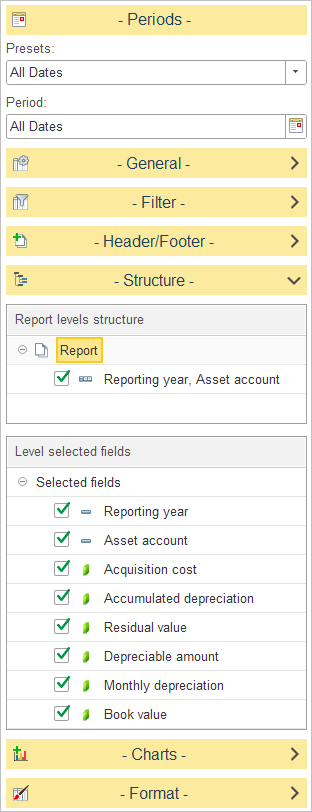
To customize the report structure, expand the Structure section and select or clear the checkboxes next to each level to include or exclude it from the report hierarchy. You can also drag and drop levels to change the order in which data is grouped.
In Level selected fields, choose which columns are displayed for the selected report level.
The available fields include:
- Reporting Year – the reporting year for the summarized asset information.
- Asset Account – the fixed asset account.
- Acquisition Cost – the original acquisition cost of the asset.
- Accumulated Depreciation – the total depreciation recognized to date.
- Residual Value – the estimated residual (salvage) value of the asset.
- Depreciable Amount – the portion of the asset’s cost subject to depreciation.
- Monthly Depreciation – the periodic depreciation amount recognized each month.
- Book Value – the current carrying value of the asset after accumulated depreciation has been deducted.
Fixed Asset List (Detail) #
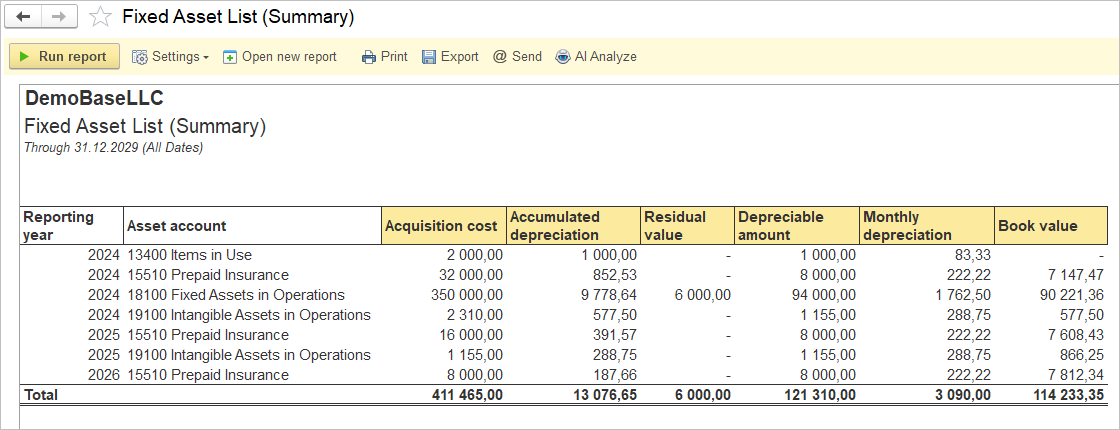
The Fixed Asset List (Details) report provides a detailed listing of individual fixed assets for the selected reporting period. This report displays each asset separately, including its identification details, classification, acquisition information, responsible person, useful life, and depreciation values. It is intended for detailed asset analysis, reconciliation, physical asset verification, and audit purposes.
Structure
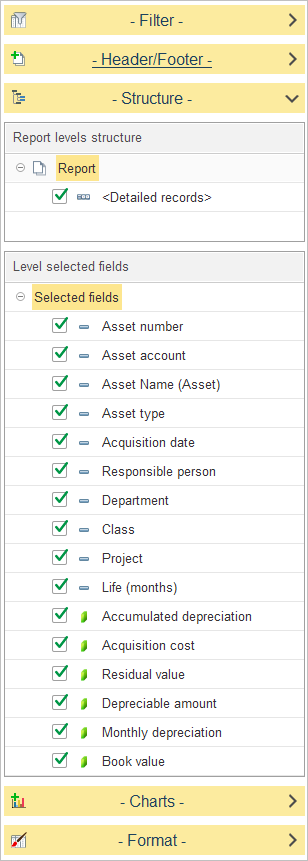
To customize the report structure, expand the Structure section and select or clear the checkboxes next to each level to include or exclude it from the report hierarchy. You can also drag and drop levels to change the order in which data is grouped.
In Level selected fields, choose which columns are displayed for the selected report level.
The available fields include:
- Asset Number – the unique identifier assigned to the asset.
- Asset Account – the fixed asset account.
- Asset Name – the name or description of the asset.
- Asset Type – Displays the asset classification, such as Fixed Assets, Intangible Assets, Low-Value Assets, or Prepaid Expenses.
- Acquisition Date – the date the asset was acquired.
- Responsible Person – the person accountable for the asset.
- Department: The organizational unit in charge of the asset.
- Class: An additional classification related to the asset’s function or category.
- Project: Association with any specific project, if applicable.
- Life (Months) – the asset’s useful life in months.
- Reporting Year – the reporting year for the asset information.
- Acquisition Cost – the original acquisition cost of the asset.
- Accumulated Depreciation – the total depreciation recognized to date.
- Residual Value – the estimated residual (salvage) value of the asset.
- Depreciable Amount – the portion of the asset’s cost subject to depreciation.
- Monthly Depreciation – the periodic depreciation amount recognized each month.
- Book Value – the current carrying value of the asset after accumulated depreciation has been deducted.