

AccountingSuite EDU – Cloud Classroom Portal
Learn Accounting by Running a Business with Practice Sets
Bring Real Business into the Classroom
AccountingSuite is pleased to partner with universities and colleges that train the next generation of accountants, finance professionals, and business managers. Our cloud platform is a powerful teaching instrument: it lets students model a real company, run real transactions, and see immediately how every debit and credit affects the financial result.
Instead of abstract theory, students work inside a live business system — the same class of tool they will meet in professional practice.
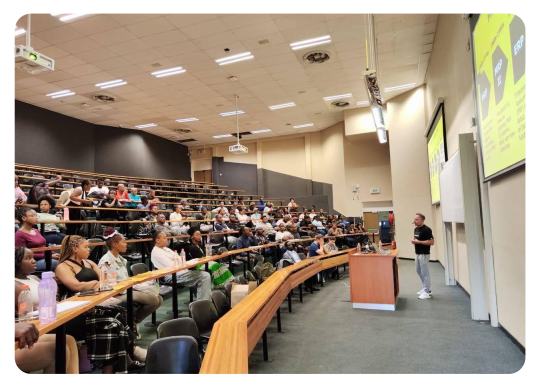
A ready-to-use cloud environment for teaching accounting, finance, and business
What We Offer
Educator Portal
One place to manage the whole classroom
- Create classes and add new students
- Create and manage student databases
- Control student access and permissions
- Update, reset or recreate databases
- Manage the learning process from one ACS Portal
AccountingSuite
CLOUD CLASSROOM
- Teacher-managed databases
- Always on the latest version
- Work with web-browser from macOS, Windows, Linux, Android
- Work with MobApp
Student Experience
Open a browser and start learning
- No software installation
- Works on low-spec computers
- Any standard modern browser
- Immediate access to the latest AccountingSuite version
For Instructors and Lab Administrators
- Shared cloud access for your institution. Your university receives its own access to the AccountingSuite portal.
- Self-managed administration. You create your own group of administrators and manage student lists independently — no back-and-forth with our team for routine class setup.
- Onboarding and support. We onboard your teaching staff and provide ongoing support through the AccountingSuite forum.
For Classroom Lab Sessions and Practice Sets
- 40 concurrent users for hands-on lab sessions, so an entire class can work at the same time.
- 200 databases allocated to your institution, so different streams, groups, and cohorts can each have their own environment.
- One database per student. Every student gets a personal database with their own virtual company — their own set of books to build, break, and rebuild.
- Annual reset. At the end of the academic year, databases and student lists can be cleared and new classes enrolled.
For Students and Grading
- Students complete homework and lab assignments inside their own virtual company.
- Teachers review and grade the work directly in the student’s database — no file transfers, no version confusion.
- Reports and dashboards visualize the accounting process, making the connection between entries and outcomes visible.
How It Fits Your Curriculum
AccountingSuite EDU supports courses in:
- Accounting — the full cycle from journal entries to financial statements
- Finance — how transactions shape profitability, cash flow, and position
- Business and Management — running a simulated company end to end
Teachers use AccountingSuite to model companies and to visualize accounting in reports and dashboards. Students learn by doing: recording transactions, closing periods, and interpreting the results.
Why AccountingSuite
- Cloud-based — no local installation, accessible from any classroom or dorm
- Real-world — the same platform used by businesses, not a simplified toy
- Transparent cause and effect — students see exactly how each debit and credit flows into the financial result
- Scalable for your institution — multiple groups, multiple courses, one managed portal
Two Course Pathways for University Accounting Programs
A Guide for Faculty and Curriculum Designers
AccountingSuite is a cloud-based accounting and business management platform built on the 1C:Enterprise framework. Its architecture is designed around a fundamental principle: documents record business facts, and only some of those facts create accounting entries. A Sales Quote and Sales Order record intent; a Sales Invoice records revenue and creates accounts receivable. This distinction is not merely technical — it is a pedagogical opportunity.
For universities, this means AccountingSuite can serve two distinct educational purposes. It can be a laboratory instrument for teaching managerial decision-making, where students use system-generated data to answer business questions. Or it can be the subject of study itself, where students learn how information systems capture, process, and control accounting data.
Below are two 16-week course outlines. Both use AccountingSuite. Both are designed for two sessions per week (one lecture, one lab). The difference is in the question each course asks: What does this data mean? versus How does this system work?
Course Comparison at a Glance
| Dimension | Course A: Management Accounting in Practice | Course B: Accounting Information Systems (AIS) |
|---|---|---|
| Central Question | “What do these numbers tell us, and what should we do?” | “How does the system capture, process, and control financial data?” |
| AccountingSuite Role | Laboratory instrument — a source of data for analysis | Subject of study — a system to be understood and operated |
| Philosophy | Decision-making through data interpretation | Procedural competence and internal control |
| Core Topics | Cost behaviour, CVP analysis, relevant costs, budgeting, variance analysis, segment reporting, capital budgeting | Transaction cycles, document flow, internal controls, bank reconciliation, payroll processing, financial reporting, system design |
| Typical Lab Activity | Export data → build analytical model → present recommendation | Process transaction → verify document flow → generate report → assess control |
| Assessment Weighting | Capstone simulation (40%), Lab tasks (30%), Final exam (20%), Midterm (10%) | Chapter quizzes (20%), Practice assignments (30%), Project assignments (30%), Final project (20%) |
| Learning Outcome | Student can use system data to evaluate performance, assess alternatives, and recommend action | Student can configure a company, execute all transaction cycles, reconcile accounts, and produce financial statements |
| Target Student | 2nd–3rd year, after Intermediate Accounting | 2nd–3rd year, parallel with or after Financial Accounting |
| Faculty Profile | Research-oriented; comfortable with managerial accounting theory | Practice-oriented; comfortable with ERP configuration and controls |
| Prerequisite | Financial Accounting; Introduction to Management Accounting | Financial Accounting; basic computer literacy |
Both courses assume a 16-week semester with two weekly sessions: one lecture (45–90 minutes, depending on institutional norms) and one lab (90–120 minutes).
Course A: Management Accounting in Practice with AccountingSuite
Weekly Structure (16 Weeks)
| Week | Lecture Focus | Lab Focus | Managerial Output |
|---|---|---|---|
| 1 | The management accountant as data interpreter; ERP systems and the changing role of accounting | Explore Demo Base; identify where cost data originates and surfaces | “Which three reports would a CFO check first?” |
| 2 | Cost classification: direct/indirect, fixed/variable, product/period | Trace a single transaction through the system; map costs to classifications | Document cost classification rationale for five transactions |
| 3 | Job order costing; predetermined overhead rates | Create a Project; assign costs; run Project Profitability report | Calculate overhead variance; identify cause |
| 4 | Cost behaviour; contribution format vs. traditional income statement | Export G/L data; build Contribution Margin Income Statement | Compare formats; which reveals what? |
| 5 | CVP analysis: break-even, target profit, margin of safety | Build CVP model from actual system data; run scenarios | “How much can sales drop before break-even?” |
| 6 | Relevant costs: differential, future, opportunity cost | Evaluate a Special Order scenario using system cost data | Recommend accept/reject with justification |
| 7 | Midterm Practical Examination | Timed task: process transactions + answer managerial questions | Demonstrated competence in system + judgment |
| 8 | Master budget framework; participative budgeting | Build Sales Budget and Cash Budget from historical data | Identify three most uncertain assumptions |
| 9 | Standard costing; price/quantity variances | Calculate variances using system data or Universal Report | Which variances are controllable? By whom? |
| 10 | Segment reporting; ROI, RI, EVA; non-financial metrics | Build Segment P&L with Universal Report; calculate segment margin | Should a loss-making segment be discontinued? |
| 11 | Capital budgeting: NPV, IRR, payback, ARR | Evaluate Equipment Replacement using asset and depreciation data | “At what discount rate does NPV break even?” |
| 12 | Internal controls in revenue, expenditure, payroll cycles | Complete Bank Reconciliation; review Payroll Journal for control weaknesses | Design one-page payroll control checklist |
| 13–14 | Capstone Simulation | Operate virtual company for full month; month-end close; generate statements | Management Report with three recommendations + risk assessment |
| 15–16 | Presentations and Reflection | Student presentations; peer evaluation; course reflection | “What decision would you make differently?” |
AccountingSuite Features Used: Demo Base, Project Profitability, Universal Report, Bank Reconciliation, Payroll Journal, AR/AP Aging, Fixed Asset data, data export to Excel.
Course B: Accounting Information Systems (AIS)
Weekly Structure (16 Weeks)
| Week | Lecture Focus | Lab Focus | Competency Output |
|---|---|---|---|
| 1 | AIS overview: components, objectives, role in organization | Navigate interface; explore Demo Base; understand document hierarchy | Identify five document types and their purposes |
| 2 | System setup: company configuration, Chart of Accounts design | Run Setup Wizard; configure company settings; create Chart of Accounts | Working company with valid COA |
| 3 | Master data management: Customers, Vendors, Items | Create lists; use Data Import Tool for bulk creation | Complete master data setup |
| 4 | Opening balances: AR, AP, inventory, GL | Post opening Journal Entry; enter Opening AR/AP; verify Trial Balance | Reconciled opening balances |
| 5 | Revenue cycle: Quote → Order → Invoice → Payment | Process full sales cycle; observe G/L impact of each document | Completed sales cycle with G/L verification |
| 6 | Revenue cycle: Returns, Refunds, Credit Memos | Process each return type; compare accounting treatment | Comparison table of G/L impacts |
| 7 | Expenditure cycle: Purchase Order → Receipt → Bill → Payment | Process full purchase cycle; verify inventory and AP | Completed purchase cycle with G/L verification |
| 8 | Bank Import: file formats, Categorization Rules, Merchant Mapping | Configure bank account; create rules; import statement; process unmatched lines | Reconciled bank import |
| 9 | Bank Reconciliation: outstanding checks, undeposited funds | Complete reconciliation document; handle buyer/seller scenarios | Documented reconciliation with explanation of outstanding items |
| 10 | Payroll: earning types, deduction types, payroll documents | Create payroll components; process payroll; generate payslips | Payroll cycle with G/L verification |
| 11 | Asset Management: asset groups, depreciation methods, disposal | Create asset groups; acquire asset; run depreciation; process disposal | Asset register with depreciation schedule |
| 12 | Month-End Close: adjustments, accruals, VAT | Post adjusting entries; run VAT adjustment; verify Trial Balance | Completed close checklist |
| 13 | Financial Reporting: P&L, Balance Sheet, Cash Flow, Universal Report | Generate statements; build custom report variant; export | Financial statements with documented analysis |
| 14 | Internal Controls and System Security | Review user rights; assess segregation of duties; identify control points | Control assessment memo |
| 15 –16 | Comprehensive Project | Full company setup from scratch; all cycles; final presentation | Complete AIS project with documentation |
AccountingSuite Features Used: Setup Wizard, Data Import Tool, Purchase/Sales document cycles, Bank Import and Reconciliation, Payroll, Asset Groups and Depreciation, Universal Report, User Rights and Security settings.
Choosing Between the Two
| If your program needs… | Choose… |
|---|---|
| Graduates who can interpret financial data and make recommendations | Course A |
| Graduates who can operate and evaluate accounting information systems | Course B |
| A course that bridges accounting theory and business decision-making | Course A |
| A course that satisfies AIS requirements for professional accreditation | Course B |
| A course aligned with research on non-financial performance and governance | Course A |
| A course that prepares students for ERP implementation or audit roles | Course B |
A Sequential Option: Course B (AIS) in Year 2 establishes system competence. Course A (Management Accounting in Practice) in Year 3 develops analytical capability. Both use AccountingSuite, so students build familiarity across two courses rather than learning a new system each time.
About AccountingSuite for Academic Use
AccountingSuite offers a cloud-based deployment model designed for institutional access. The platform supports multiple concurrent users and multiple databases, enabling universities to provide individual virtual companies to students while maintaining faculty administrative control. The Demo Base provides a pre-configured environment for immediate exploration, and the Onboarding course offers structured self-paced learning for faculty preparation.
For programs in South Africa, Philippines and other countries where AIS is a required module within BCom or BSA curricula, AccountingSuite provides a practical environment that reflects the document-driven logic of modern accounting systems: business events recorded as documents, only some of which create accounting entries.
AccountingSuite EDU – where students learn accounting by running a business.

For Instructors: Free Courses & International Opportunities
Support your classes with free year-round online courses on 1C Skills Hub — pick individual topics or join the full Skills Camp program.
Courses:
- 1C:Enterprise First Step — platform basics and capabilities.
- AccountingSuite Onboarding — accounting, setup, purchasing, sales, inventory.
- 1C:Enterprise. Development Basics — build a business app from scratch.
- 1C:Enterprise. Modification of AccountingSuite — adapt the standard product with extensions and reports.
Start with First Step and AccountingSuite Onboarding.
Explore Free Courses — sign in or create an account.
1C Skills Camp: Learn, Practice, Compete
Give students access to an international program combining free online training in English with practical assignments, mentor feedback, and skills challenges.
The six-month program takes students through platform fundamentals, AccountingSuite business processes, and application customization.
At each stage, students earn points for completing assignments and tests. Student rankings track their progress and recognize top performers. Participants receive certificates after successfully completing each stage.
Participants build skills in 1C:Enterprise and AccountingSuite and compete for prizes. They may also receive invitations to international skills competitions and opportunities for paid internships with 1C partners.
Get Started
If your university or college needs a packaged offering for accounting and business education, register on ACS Portal and contact us to discuss access for your institution subscription education package.
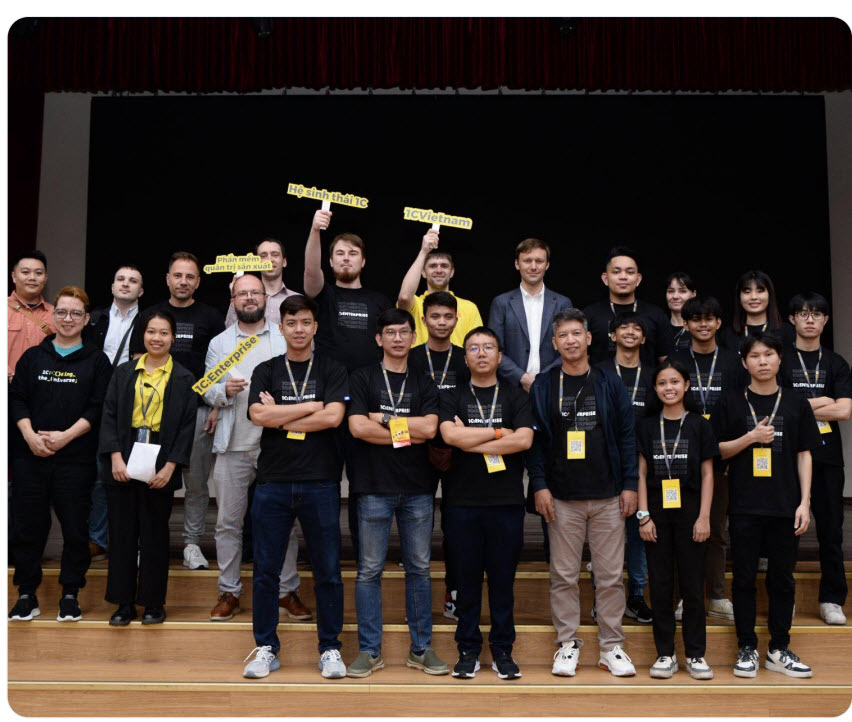
We will set up your portal, onboard your teachers, and help you run your first class.