
Maintain the following settings before you start working with AccountingSuite, as some of them cannot be changed once transactions have been posted.
Navigate to Admin panel – Accounting settings. Some of the settings will already be in place if you have successfully run the Setup wizard.
The following section presents the key settings for the Fiscal year and Accounting periods, which define the permitted periods for transaction entry and ensure data integrity:
- First Мonth of Financial year (Fiscal) – Defines the starting month of the business year. Based on this setting, the system determines date ranges for financial reports generated for the current fiscal year.
- Start of Accounting for Period Closing – Defines the accounting period from which postings are allowed. All periods prior to this date are considered closed and are not available for transaction entry. This setting is necessary for Period Closing Wizard.
- Future Reporting / Posting Years Allowed – Limits the number of fiscal years ahead into which postings are permitted. The purpose is to prevent accidental entries in distant future periods in order to preserve data integrity.
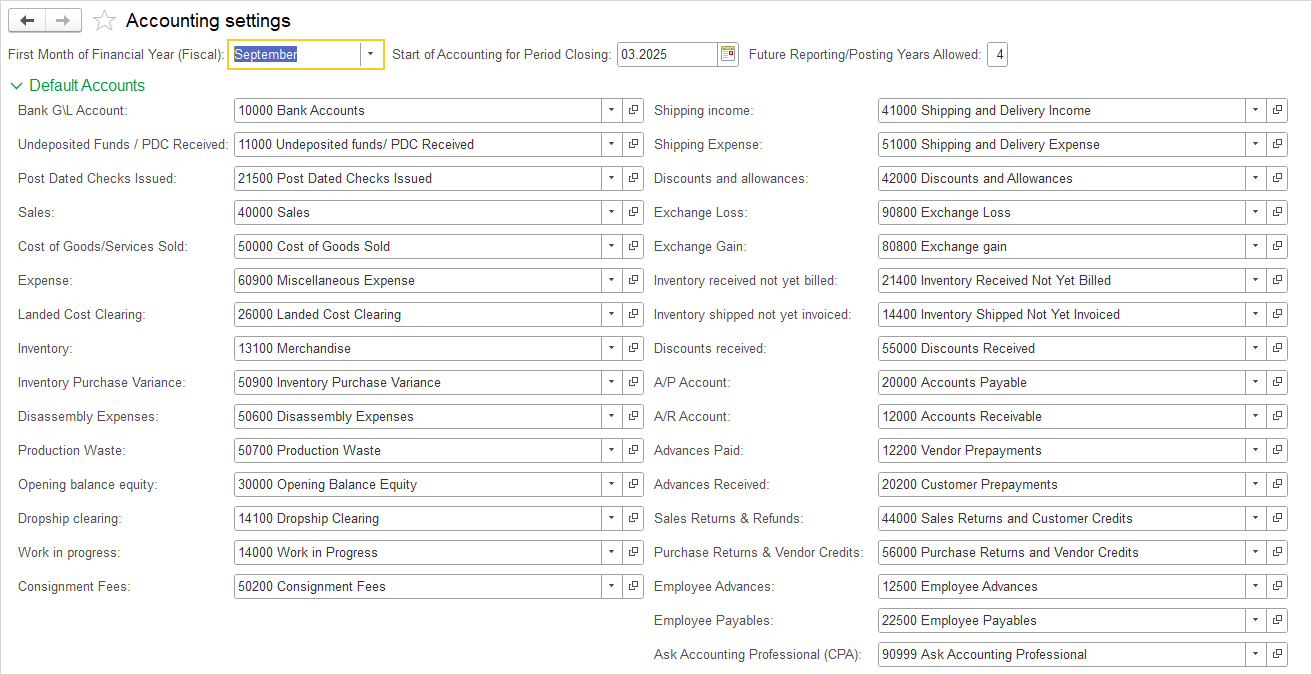
Default Accounts #
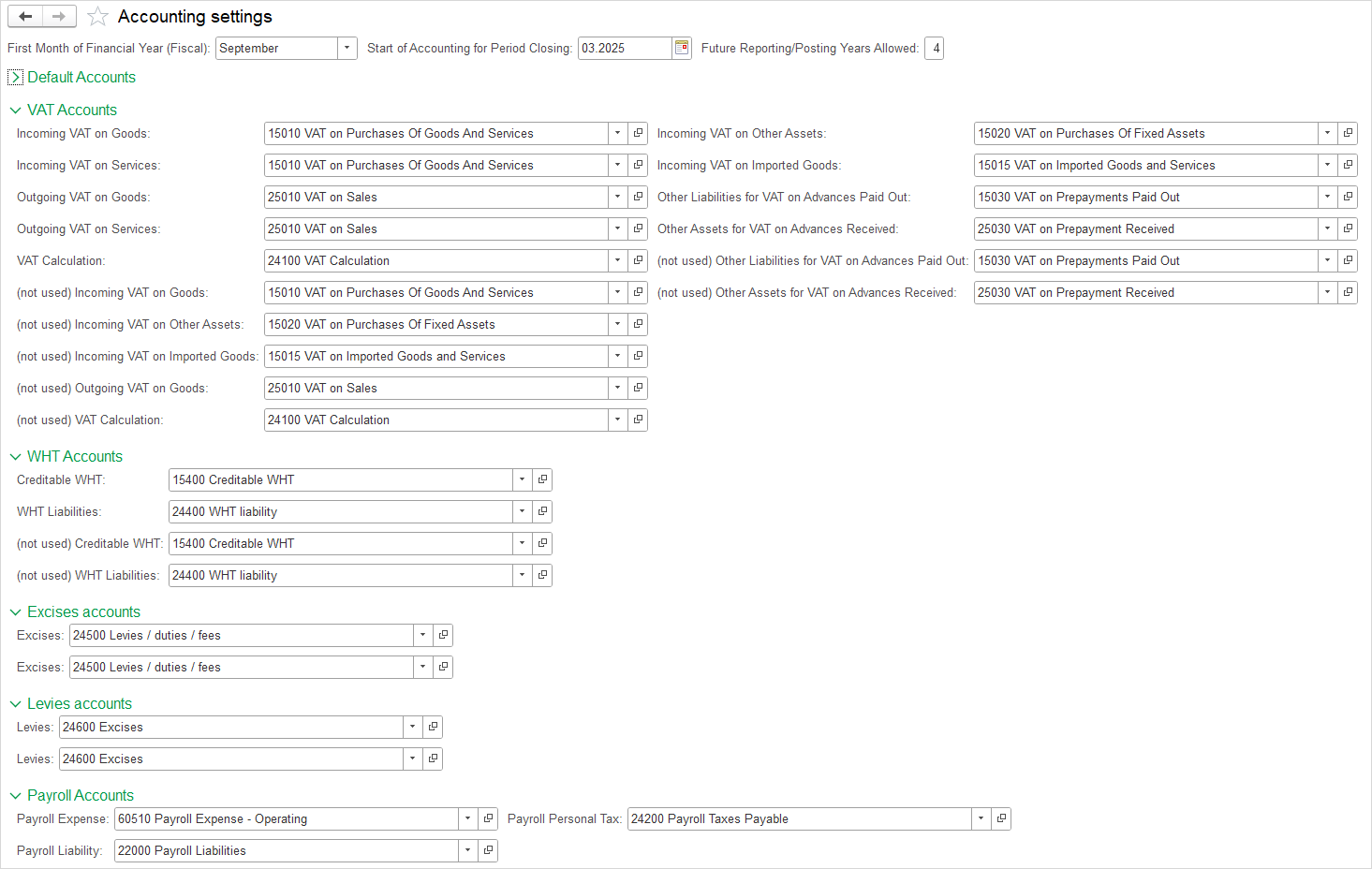
Specify your default accounts if you use your own chart of accounts. The accounts will be filled with the default accounts for the default chart of accounts.
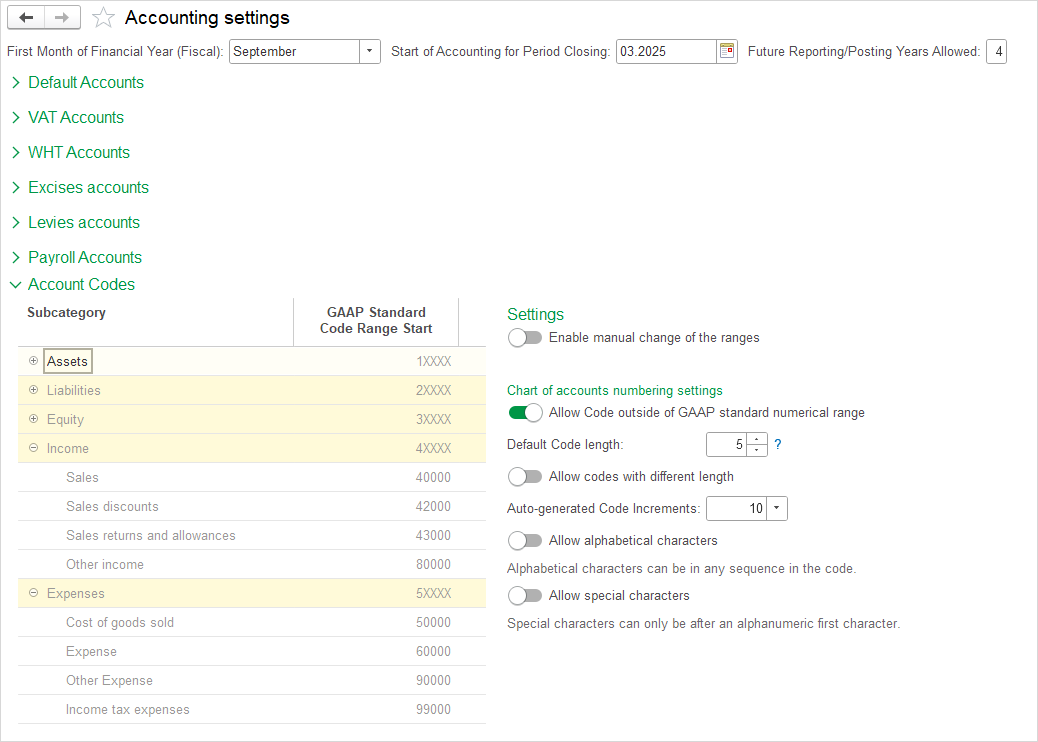
Account Codes #
You can flexibly adjust the account numbering requirements in your chart of accounts.
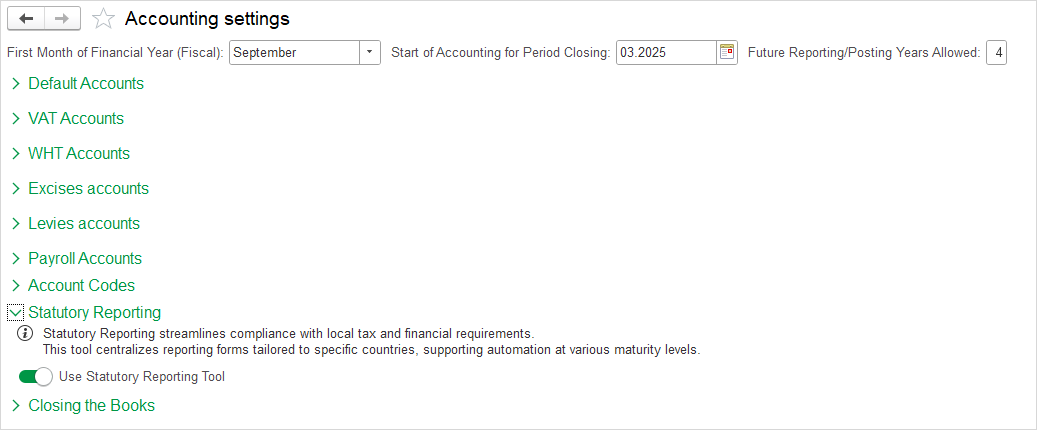
Statutory Reporting #
Select this option to access country-specific statutory reporting forms, complete with built-in automation. These pre-configured forms adapt to local tax and financial regulations, minimizing manual input while supporting various reporting maturities from basic to advanced.
Closing the Books #
This section encompasses all settings related to the end of an accounting period. The functionality is divided into three parts:
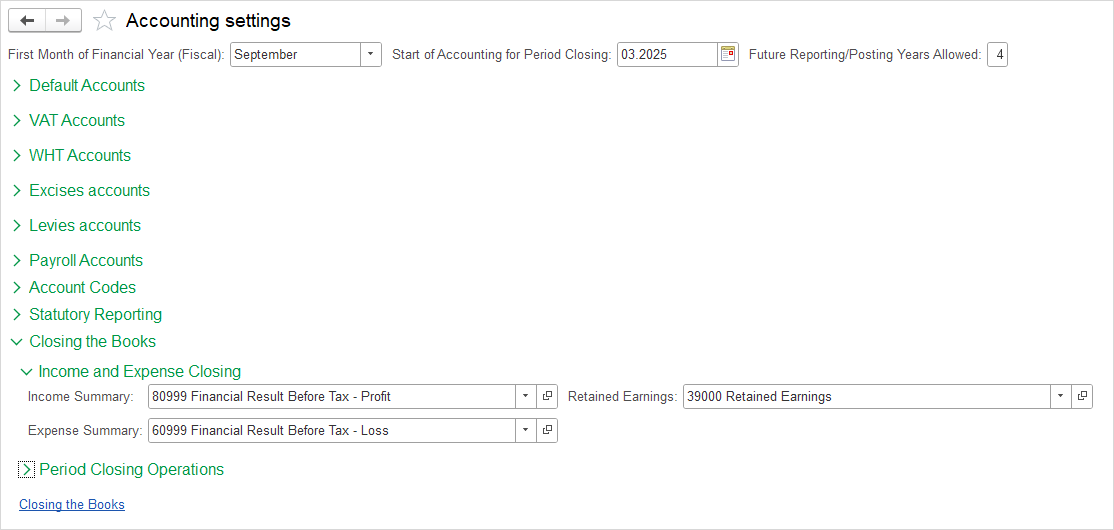
- Income and Expenses Closing – automatic transfer of Income and Expense balances to summary accounts and then to Retained Earnings.
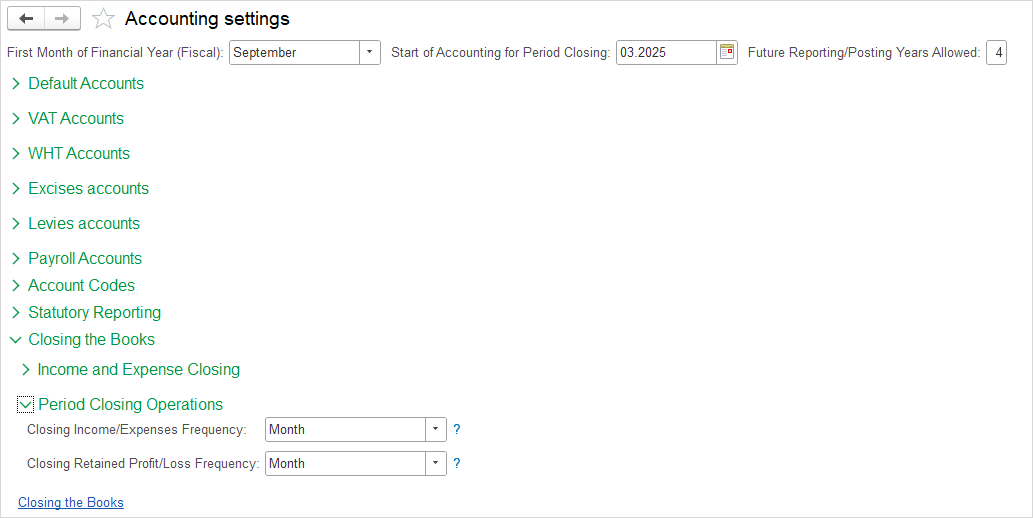
- Period Closing Operations – configuration of closing frequency (Monthly, Quarterly, Year, or never).
- Closing the Books – setting a date up to which transactions may be changed, with the option to display a warning or require a password.
Detailed explanations of each part are provided below.
Income and Expenses Closing #
This function enables the automatic transfer of income and expense balances at the end of the period. The system uses auxiliary accounts (Income Summary and Expense Summary) for aggregation, and then transfers the final result to the Retained Earnings account.
For a complete step-by-step guide and a description of each account, please see: Closing Income and Expenses.
Period Closing Operations #
Within this section, two parameters are set: (1) Closing Income/Expense, and (2) Closing Retained Profit/Loss. These settings determine the dynamics of financial closing and directly impact the availability of financial statements for specific reporting periods.
For a detailed explanation of the options (Never, Monthly, Quarterly, Year), please see: Period Closing.
Closing the Books Date #
This feature prevents changes to transactions dated prior to the Closing date, ensuring the integrity of financial data after a reporting period has been finalized. The Closing date can be set globally or per module, with options to display a Warn or Warn and require password when changes are attempted.
When Specify closing date per module is enabled, a separate closing date can be defined for each document type in accordance with specific business needs. When disabled, a single global Closing date is applied across all modules.
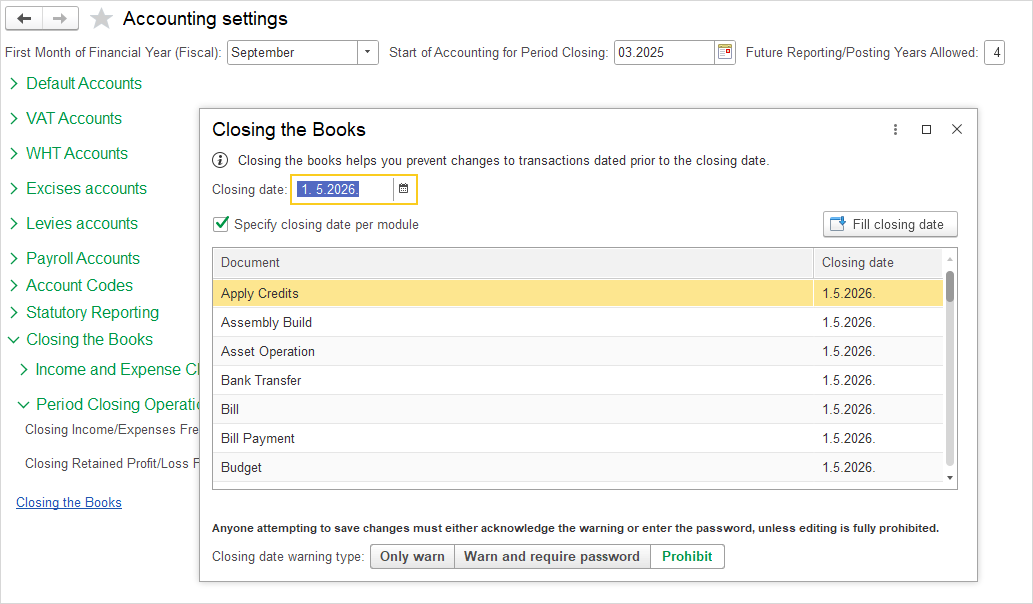
After the period is closed, the system applies protection when attempting to enter, modify, or post a document with a date within the Closed period. The protection level can be one of the following three types:
- Only warn
- Warn and require password
- Prohibit
Only warn #
When attempting to modify a document whose date falls prior to the period closing date, the system displays the following message:
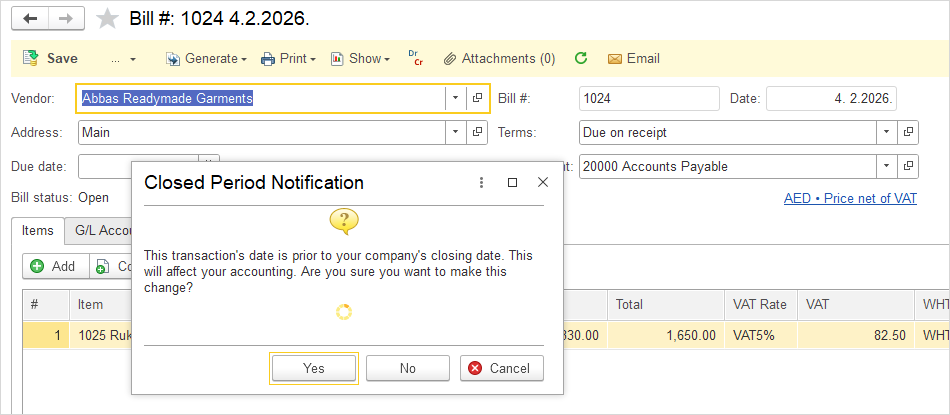
Upon confirmation, the system allows the user to proceed with the action without additional restrictions – saving and posting the modified document is enabled.
Warn and require password #
When attempting to modify a document whose date falls prior to the period closing date, the system displays the following message:
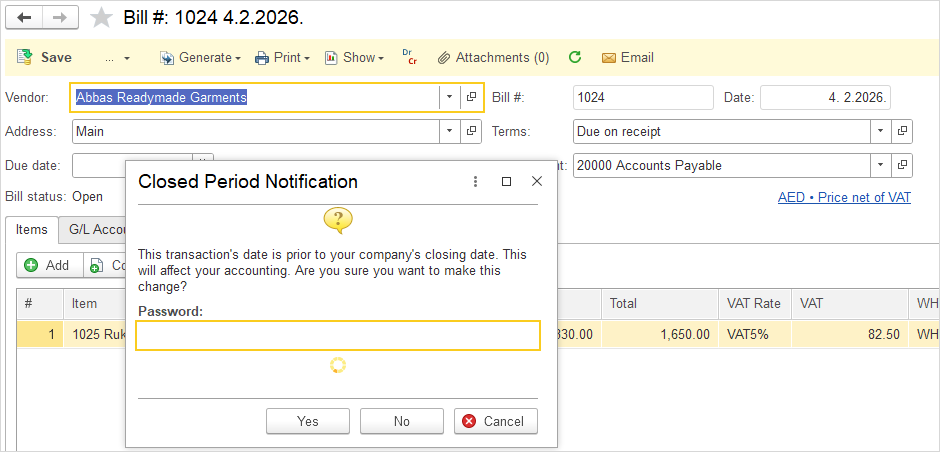
Upon confirmation, the system additionally requires the user to enter a valid password. Only after successful authentication does the system allow the modified document to be saved or posted.
Prohibit #
When this protection level is set, the user is not allowed to initiate modification of a document whose date falls within the closed period. The edit option is disabled, and the user has no means of accessing the action. Modifications in closed periods are completely excluded..
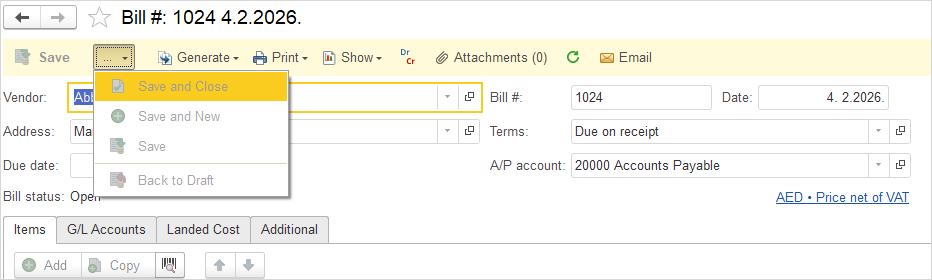
This level is recommended after the completion of an audit, submission of statutory financial reports, or in all situations where modifications are entirely excluded.