
Transfer document is a useful tool in asset accounting used to update asset attributes that can directly impact accounting entries. This document allows to modify asset parameters such
- Expense accounts
- Useful life
- Depreciation status (stop depreciation)
- Depreciation method
- Liable person
- Project
These changes are essential to ensure that the asset’s accounting reflects its current condition and use, which may fluctuate due to physical changes, regulatory requirements, or management decisions.

Book asset transfer and set new parameters #
- Navigate to Asset management → Assets operations.
- Create a new Transfer document.
- Add the asset that is subject to changes.
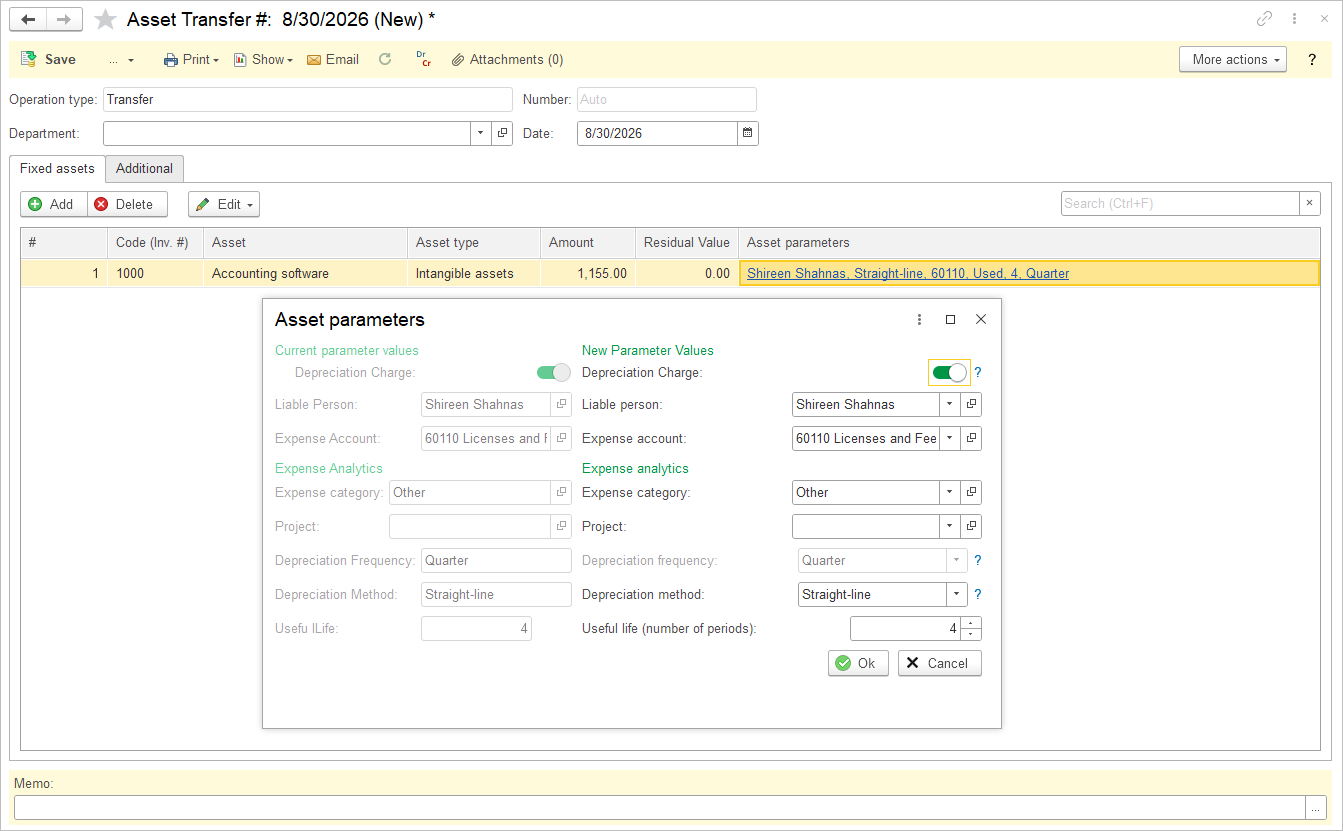
- Click the blue hyperlink in the Asset parameters column and make the required changes.
- Use the Edit – Common parameters button to change common parameters of multiple selected assets in the lines.
- Save the document.
Accounting #
Since the Asset transfer document is for management accounting purposes only, it does not generate any postings in the General Journal.