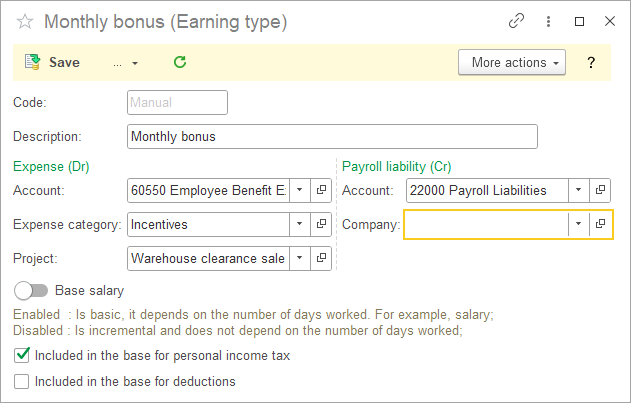
Earning Types define the different types of employee earnings used by the Payroll module.

Create Earning Type #
- Navigate to Payroll – Lists – Earning Types
- Open Earning Types.
- Create a new type.
- Specify the name.
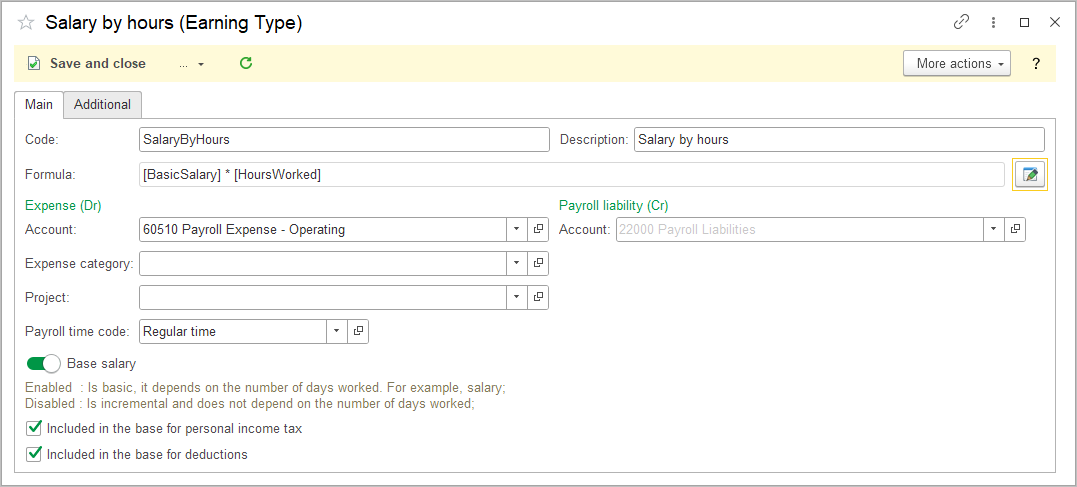
- Set up the formula for calculating the salary. If it is a fixed amount, leave this field blank.
- Specify Payroll Liability and Expense accounts.
- Assign a Payroll Time Code to use this type of earning in Personnel Order, Timesheet, and Payroll documents.
- If this earning type is used as the main salary for your employees, check the Base Salary box, if it is used for additional payments or allowances, leave this box unchecked..
- Included in the base for personal income tax: determines whether the earning type is included in the Personal Income Tax calculation base.
- Included in the base for deductions: determines whether the earning type is included in the Deductions calculation base.
- Save.
Formula Editor #
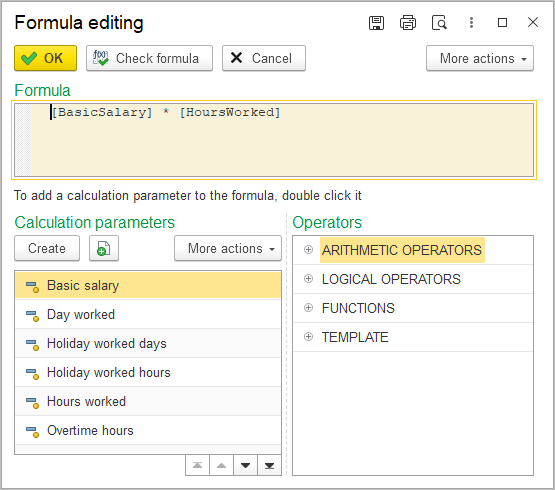
Formula Editor allows calculation formulas to be configured for earning types.
The Formula Editor provides access to:
- Payroll Calculation Parameters;
- logical operators;
- arithmetic operators;
- mathematical functions;
- templates.
Displacing Calculation Types #
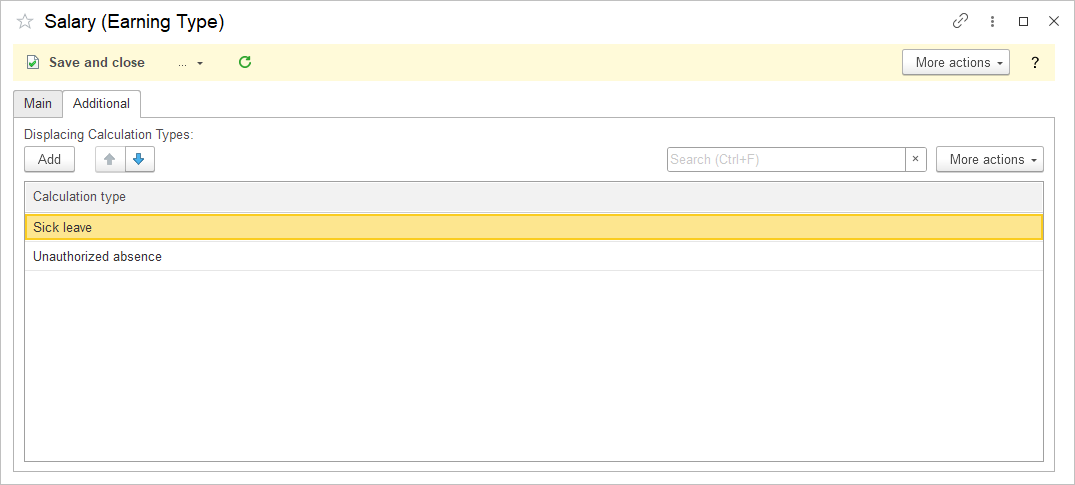
In the Additional tab, you can configure displacing calculation types. These are earning types that take priority over the employee’s basic salary.
For example, an employee cannot receive their regular salary while on sick leave. In this case, Sick Leave should be added as an displacing calculation type.
Create Earning type #
- Navigate to Payroll → Lists → Earning types
- Click Create.
- Enter Code (optional)
- Enter the Description.
- Select the Expense (Dr) account and its Extra dimensions. When Payroll document will be posted, these Extra dimensions will be filled in automatically.
- Select the Liability (Cr) account and its Extra dimensions. If left blank, the default account from Accounting Settings will be used.
- Extra dimensions set at this step may be changed later manually in the Payroll document if needed.
- Choose if an earning is a Base salary and should be calculated on number of days actually worked or if it is a fixed amount independent on days actually worked.
- Tick the checkbox to include the earning in the personal income tax base.
- Tick the checkbox to include the earning in the deductions base.
- Click Save.