
The General Ledger report displays the opening and closing balances of accounts and provides a detailed overview of all accounting transactions posted to each general ledger account within the selected reporting period. It is used to review account activity, verify posted entries, reconcile balances, and support financial analysis and auditing. The report displays transactions and balances for each account based on the selected report settings.
For the most commonly used General Ledger setups (customized sorting of filtering), you can save the settings and use them the next time you need them.
Navigate to: Reports → Accounting → General Ledger
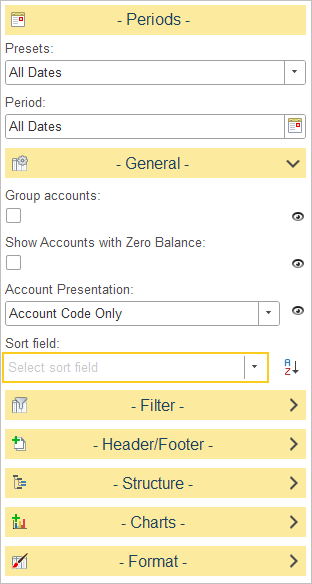
Available settings:
Group Accounts
Controls how accounts are organized in the report.
- Disabled – Accounts are displayed in ascending numerical order, from the lowest account number to the highest.
- Enabled – Accounts are grouped by their account category (Assets, Liabilities, Equity, Income, and Expenses) and further organized into their respective subcategories.
Show Accounts with Zero Balance
Determines whether accounts without activity during the selected reporting period are included.
- Disabled – Only accounts with transactions during the selected period are displayed.
- Enabled – All accounts are displayed, including those with no transactions during the selected reporting period.
Account Presentation
Defines how account information is displayed in the report.
Available options:
- Account Code Only – Displays only the account code.
- Account Description Only – Displays only the account description.
- Account Description and Code – Displays both the account description and the account code.
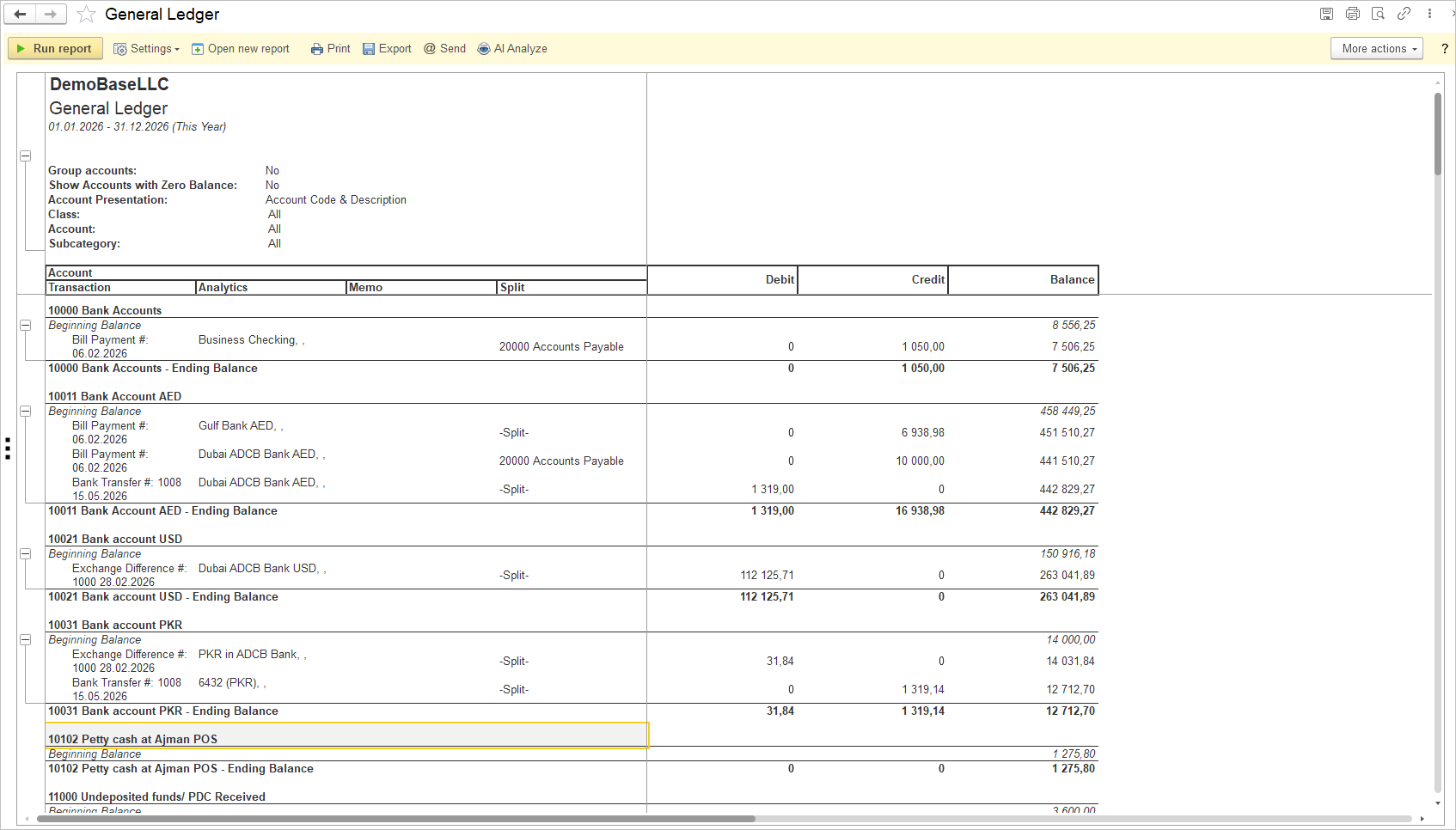
The structure and layout of the General Ledger report are fixed and can’t be modified from the quick settings.