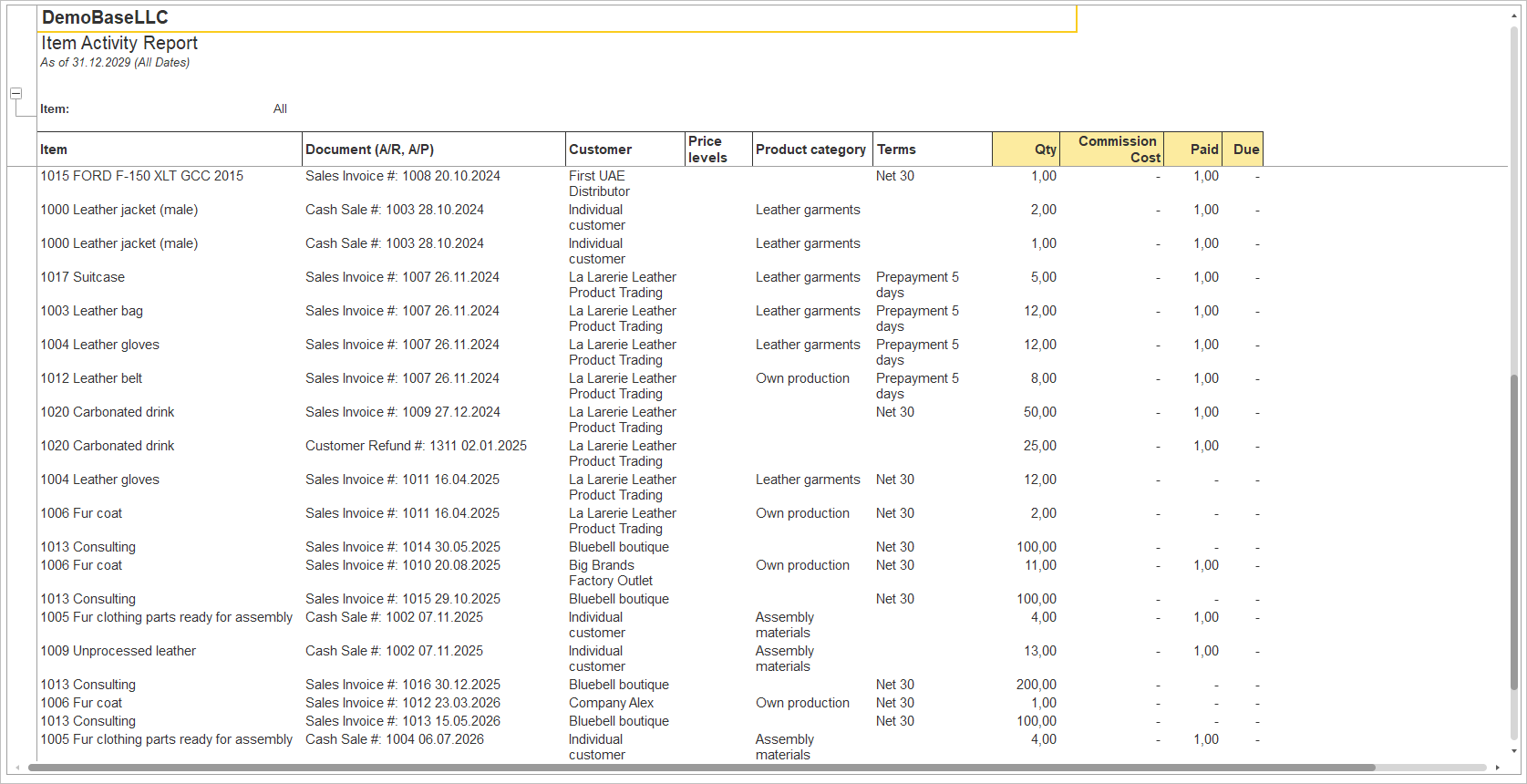
The Item Activity Report provides a detailed record of item-related sales and purchasing transactions for the selected reporting period. It displays each transaction at the document level, allowing users to review item activity, identify the customers or vendors involved, analyze quantities sold or purchased, verify payment terms, and monitor document payment status.
Navigate to Reports → Inventory → Item Activity Report
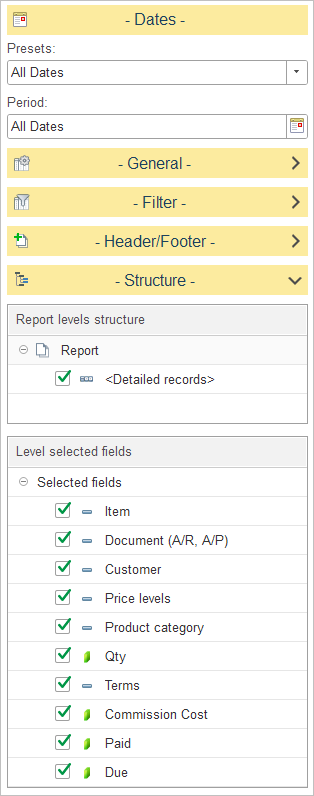
In Report levels structure, select how transaction data is grouped in the report.
The default report structure consists of a single Detailed Records level, where each row represents an individual sales or purchasing transaction.
To customize the report structure, expand the Structure section and select or clear the checkboxes next to each level to include or exclude it from the report hierarchy.
In Level selected fields, choose which columns are displayed in the report.
The available fields include:
- Item – Displays the inventory item involved in the transaction.
- Document (A/R, A/P) – Displays the accounts receivable or accounts payable document associated with the transaction.
- Customer – Displays the customer or vendor associated with the document.
- Price Levels – Displays the price level applied to the transaction.
- Product Category – Displays the category assigned to the inventory item.
- Qty – Displays the transaction quantity.
- Terms – Displays the payment terms defined for the document.
- Commission Cost – Displays the commission cost associated with the transaction, if applicable.
- Paid – Indicates whether the document has been fully paid.
- Due – Indicates whether the document has an outstanding balance or is due for payment.