
In AccountingSuite, BIR Forms 2306 and 2307 are available as a single print form called WHT tax certificate, which you can download from the Marketplace. Print form is designed for both on-premise and cloud versions. The system automatically generates the appropriate form based on the WHT tax category used in the document lines.
Required Settings #
- Enable Withholding tax in Tax Settings.
- Enable the Withholding tax category checkbox in Tax Settings.
- In the Taxes list, add withholding tax (WHT) rates with corresponding Alpha-Tax Codes (ATCs), such as WC160 for professional fees. Please refer to Tax Split Return article. The tax category field will now be available, with two options: Extended and Final.
- Create tax groups including WHT rates, then assign them to relevant Items, Customers, and Vendors for automatic computation on transactions.
- Maintain the Address and Tax registration number for the Company and for the Vendor
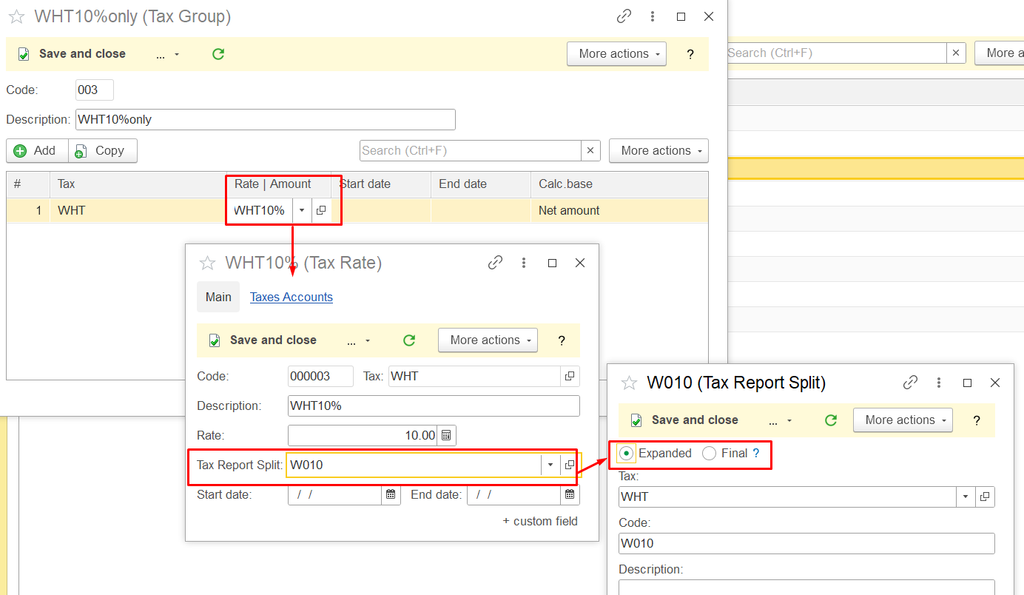

Starting with release 2.26.9, BIR Form 2307 is no longer supported as a standalone report in the Statutory Reporting Tool. It is now included alongside BIR Form 2306 in the combined WHT tax certificate print form.
If you would like to use BIR Form 2306 or BIR Form 2307 as an external report in the Statutory Reporting Tool, please let us know.
How the System Selects the Form #
When you print the WHT tax certificate, the system checks the WHT tax category in the document lines:
| WHT tax category | Generated form |
|---|---|
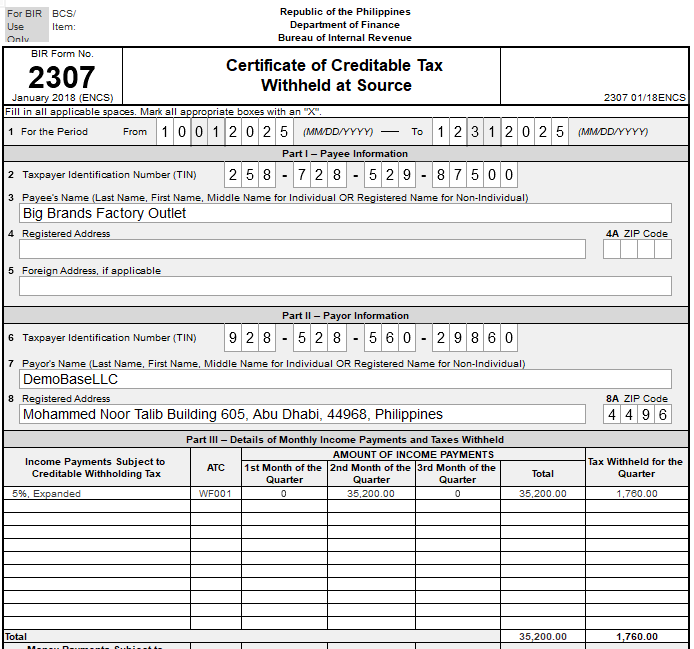
| Extended | BIR 2307 |
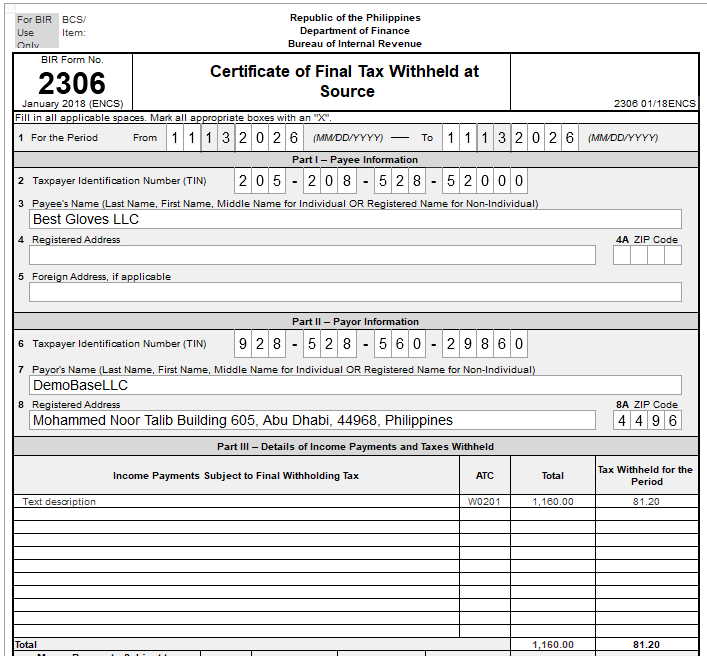
| Final | BIR 2306 |
If a document contains lines with both WHT categories—Extended and Final—the system generates two separate forms: BIR 2307 and BIR 2306.
Generating the Print Form #
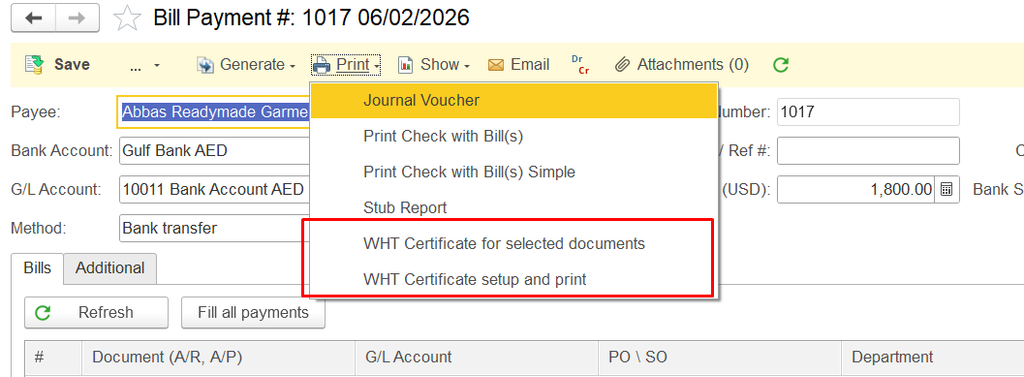
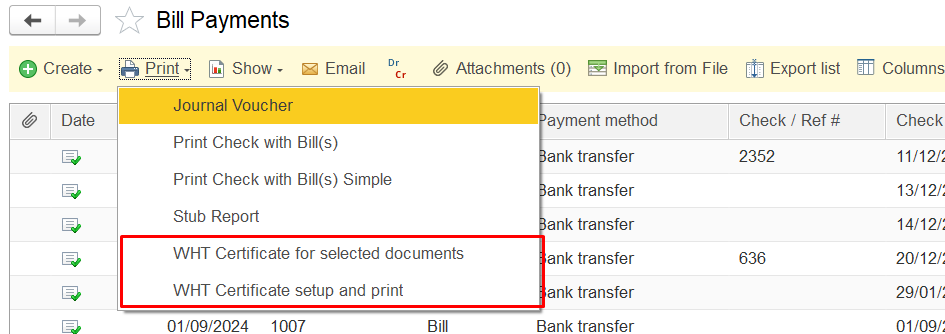
The system generates one or both BIR forms, depending on the WHT tax categories used in the document lines. The WHT certificate print form can be accessed from:
- individual documents
- document list
- all WHT transactions journal
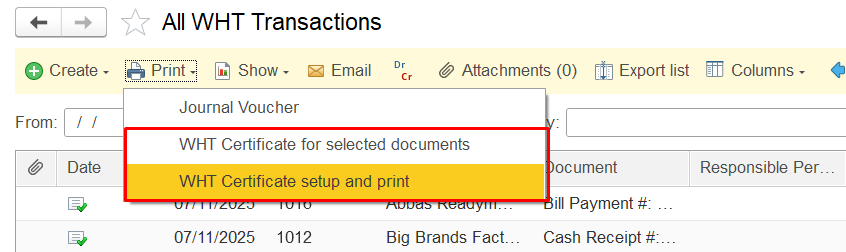
To create multiple WHT certificates in one click, there are two options:
- highlight the documents, and navigate to Print – WHT certificate for selected documents
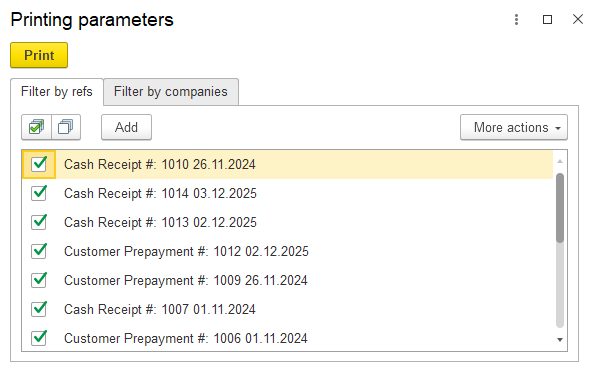
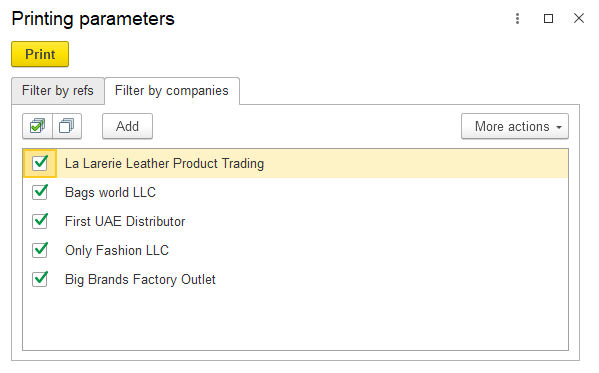
- navigate to Print – WHT certificate setup and print, mark the required documents and / or use filter by Company
Form Sample #
Withholding tax is not recognized on the advance payment. At the moment of settlement, the prepayment is applied to the invoice through an Apply Credit posting, and the applicable withholding tax is calculated and posted.
Run the WHT certificate from the Apply Customers / Apply Vendor Credits document or run the WHT certificate for multiple documents from the All WHT transactions list.
Frequently Asked Questions about BIR-2306 and BIR-2307 #
No form is generated
Please check under the Dr Cr button in the document, if this document is effecting the WHT G/L accounts.