
Cash Sales in AccountingSuite combine the functionality of Sales Invoices and Cash Receipts in one step.
Cash Sales can be used for a point-of-sale system or anywhere the product and the cash change hands at the same time. This type of transaction bypasses the Accounts Receivable and records directly to the bank or cash account.

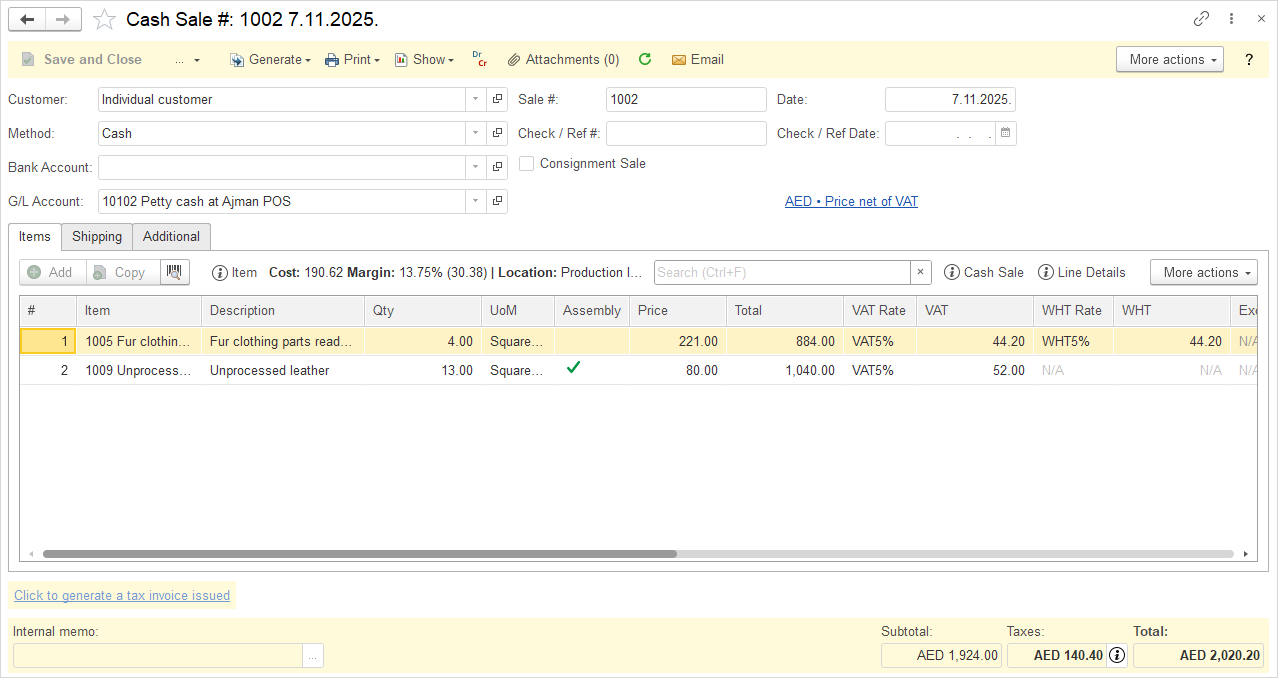
Create Cash sale #
- Click Sales → Cash Sales.
- Click Create.
- Choose a Customer from the drop-down list. The default Bill to and Ship to fields auto-fill.
- Change the Cash sale Number, if necessary. The Cash sale document numbering is defined in Admin panel → Tools → Auto-Numbering and will increment automatically. For more information, see Document Numbering.
- Change the Date, if necessary. This is the date the Cash sale was made at the bank.
- Choose a payment Method.
- Enter Check / Ref # (optional). For more information, see Handling Post-Dated Checks.
- Enter Check / Ref Date (optional). For more information, see Handling Post-Dated Checks.
- Choose the Undeposited radio button to indicate the sale is to be recorded to undeposited funds; choose Bank Account, if the funds were deposited to a bank account. The default Account pre-fills.
- Click the More tab and enter a Project, if applicable.
- Click the Memo tab and enter a Memo, if desired.
- Save the document.
Accounting #
Recording a Cash sale creates the following transactions in the General Journal:
- Debits: Bank Account
- Debits: Cost of Goods Sold (for inventoried items)
- Credits: Revenue
- Credits: Inventory (for inventoried items)
- Credits: VAT Tax (if applicable)