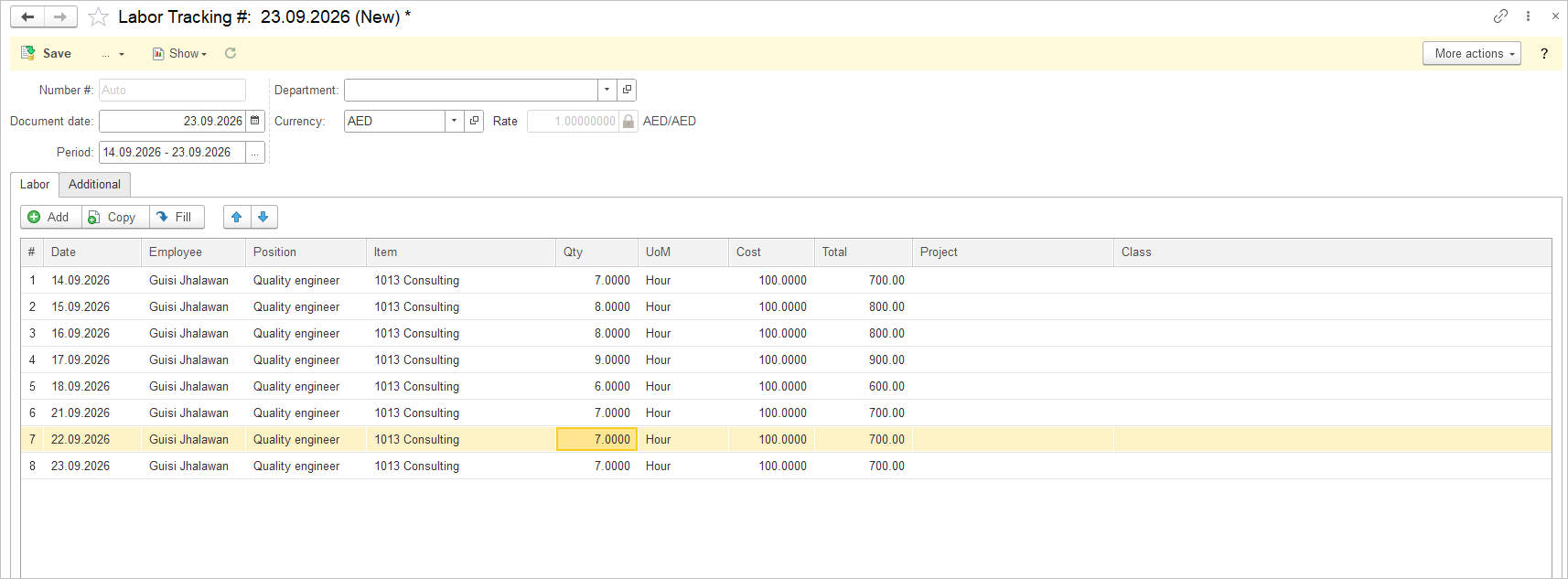
Create Labor Tracking Document #
Before creating a Labor Tracking, create Items with Service type!
- Navigate to Payroll – Documents – Labor Tracking
- Click Create
- Choose the Department (optional) and time period. Time period can be custom, e.g. two weeks or a week.
- Then, add a line to the table. For each line, specify: the specific date, the employee, the employee’s Position, the Service performed by the employee.
- The Service is selected from the Items list. Any item with the Service type can be used.
- Enter the quantity of services performed. The system will calculate the total amount for the day. This amount will later be transferred to the Payroll document.
- Add a separate line for each employee for each working day. You can either enter the lines manually or copy existing lines to speed up data entry.