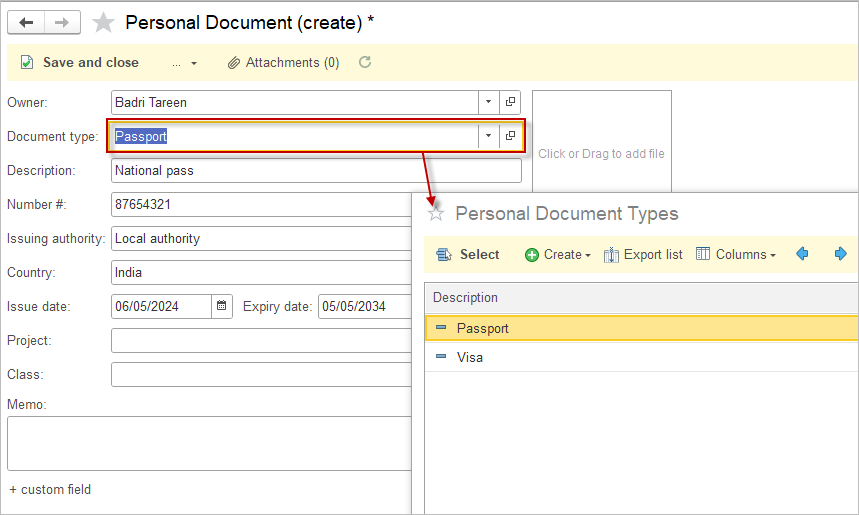
The Personal Documents list is required to ensure centralized, structured storage of all documents related to an Employee It provides quick access to up‑to‑date information, supports control over completeness and validity of required documents, and reduces the risk of errors and non‑compliance. Centralized storage also enables standardized access control and protection of personal data, while simplifying the work of HR, accounting, and other responsible users.
Personal documents may include employment and civil documents such as identity documents, permits, certificates, and other HR‑related records that contain personal data and describe the employee’s status.

Create Personal Document #
- Navigate to Payroll – Personal Documents
- Click New.
- In the Owner field, select the Employee from the Companies list.
- In the Document type field, choose the necessary type (the Personal Documents Types list has two preinstalled items – Passport and Visa, users can create custom types).
- Fill in the fields Description, Number, Issuing authority, Country, Issuing and Expiry dates, Project, Class.
- Use the Attachements to add a file or drag and drop the file to the right-hand pane.
- Save and close.