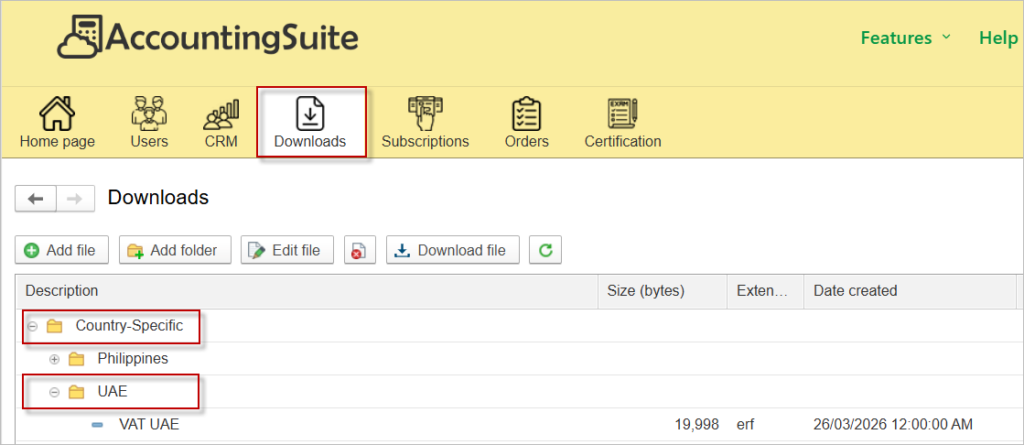
The VAT Return form (UAE) is available in the demo database for review and testing purposes.
Partners who use the on-premises version can download the VAT Return form (UAE) from their Partner’s Personal Account for installation and further customization.
If you are a customer and you cannot download the file, then ask your partner to install it for you.
We provide this form so users can apply it directly and also use it as a learning example for their own development projects. Please refer to this article on how to apply Additional reports in the on-premises version.
To apply the Additional report in the cloud version, please contact us and provide the database number where it should be applied.
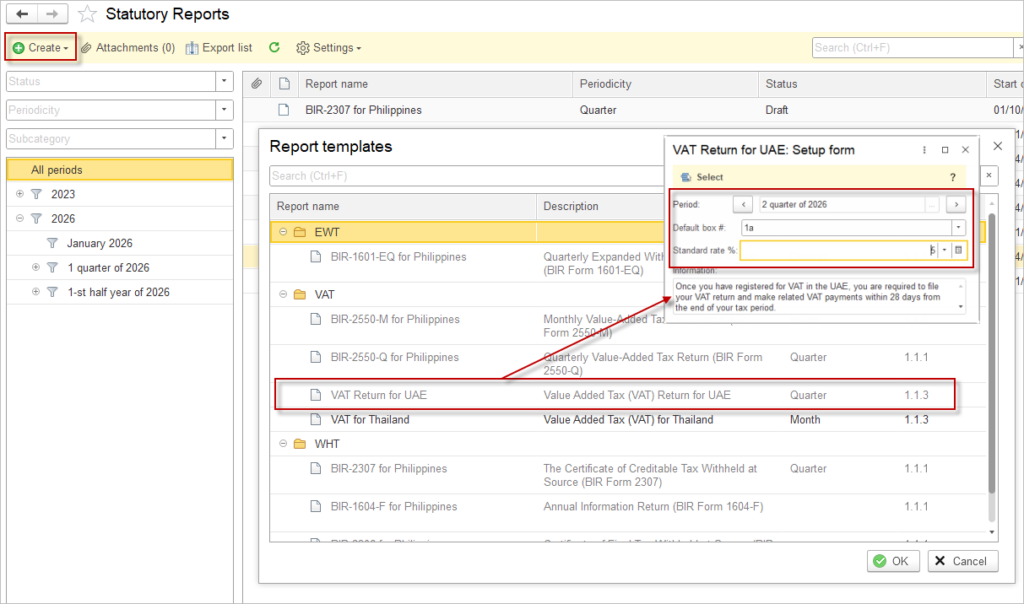
Specify the Period, the Standard VAT rate and Default box. As the UAE VAT return is split by emirate for output VAT, where a customer has no emirate specified, the system will report the tax in this box.
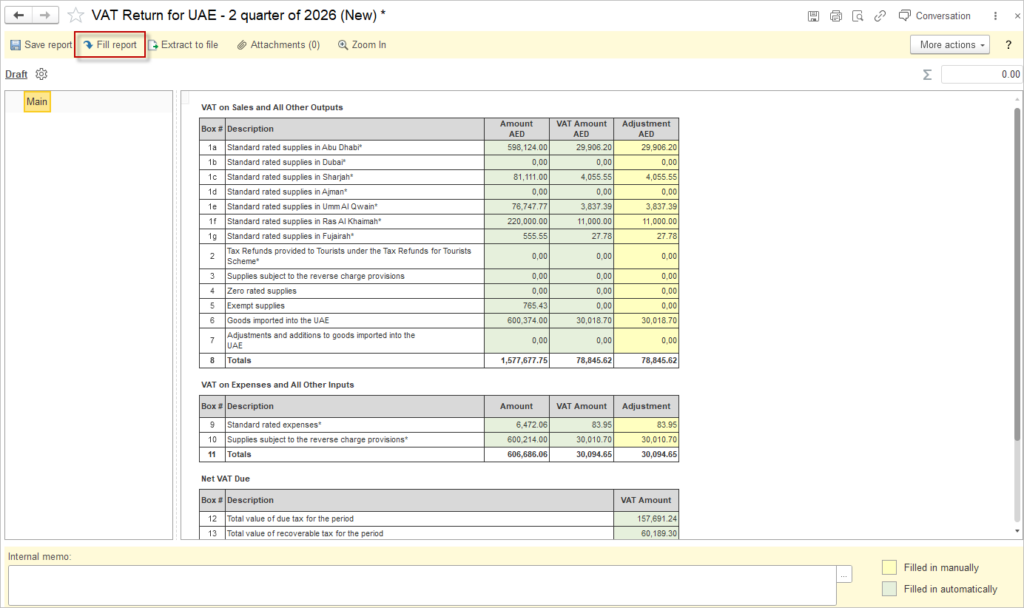
You can generate the FAF file directly from the VAT Return form.
Open the VAT Return form for the required tax period.
Click Extract to file.
In the dialog box, select the destination folder where you want to save the file.
Confirm the selection to start the export. The system saves a text file in the format prescribed by the FTA.
Difference between VAT Return and FAF figures
The figures in the FAF file may differ from the figures in the VAT Return. The VAT Return includes only input VAT that is deductible according to the applicable local tax legislation. The FAF file includes all input VAT, regardless of whether the conditions for deductibility are met.