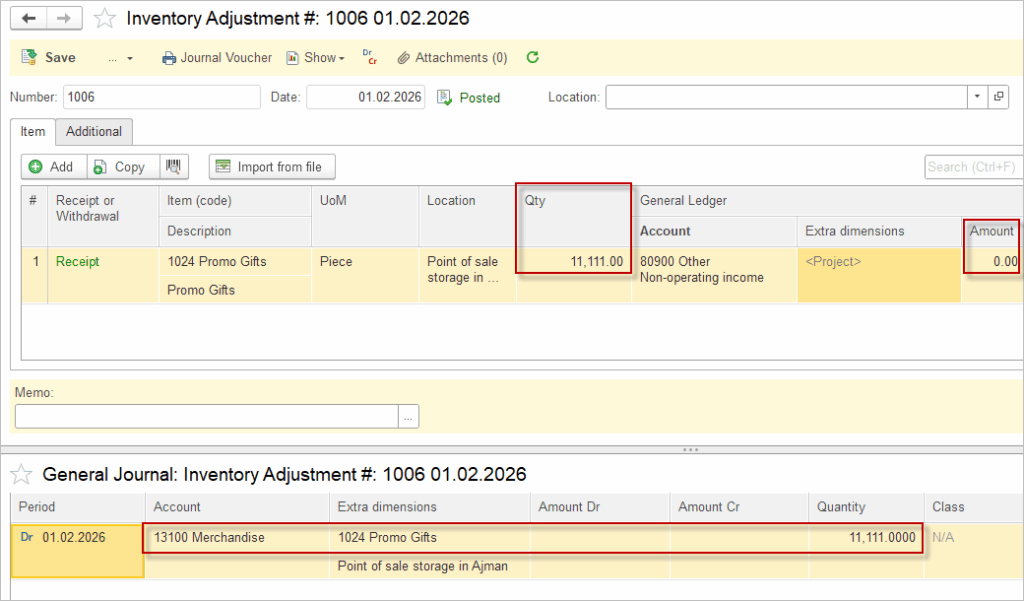
Zero-value inventory refers to stock items tracked by quantity only, with no monetary cost assigned.
Scenario 1. Free of Charge Inventory #
AccountingSuite fully supports zero-valued inventory, allowing quantity tracking without amounts for flexible operations.
- Record Item Receipts and Inventory adjustments by quantity alone, no cost field required.
- Inventory reports show quantities;
- No impact on financials: P&L and balance sheet ignore zero-value stock, avoiding prohibited distortions.
___

Certain standards prohibit zero-value entries in inventory accounts to ensure balance sheet accuracy. Please refer to applicable accounting standards to make sure your they permit zero-value tracking.
Increasing the zero-value items with an Inventory Adjustment document results in Dr Inventory account, which has:
- No financial effect: Balance sheet or P&L unchanged (value remains 0).
- Operational benefit: Tracks physical stock for sales fulfillment (e.g., bundle with paid items).
___
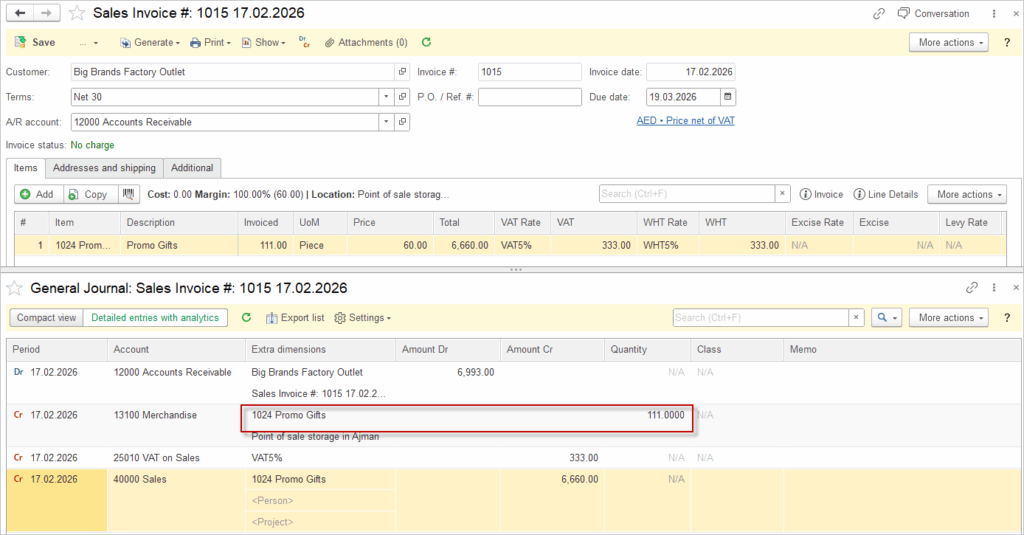
Selling zero-value items triggers standard revenue, accounts receivable, and output VAT postings from the main sale. No COGS is recognized; only the inventory asset quantity decreases.
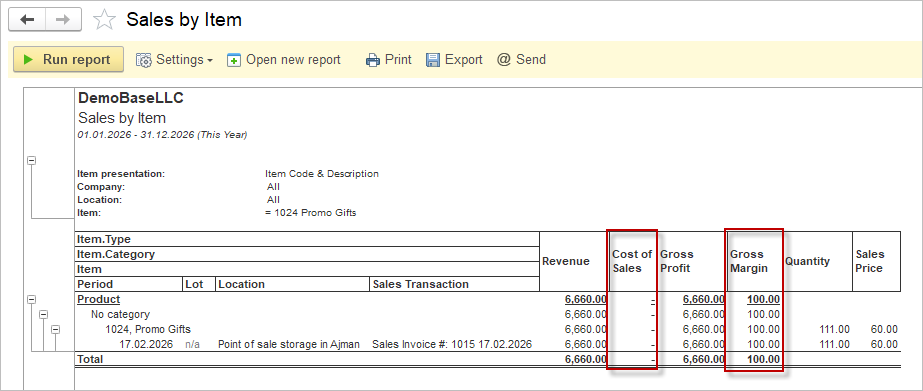
Zero-value inventory sales appear normally in operational reports like Sales by Item. No cost basis exists (COGS = 0), so all attributed revenue becomes gross profit. This reflects pure “contribution” from free items bundled in sales.
Zero-value inventory items appear seamlessly in item-specific reports like Item Activity/Costing for complete operational traceability. The reports display full quantity movements (receipts, sales, adjustments) with zero amounts consistently, linking back to source documents.
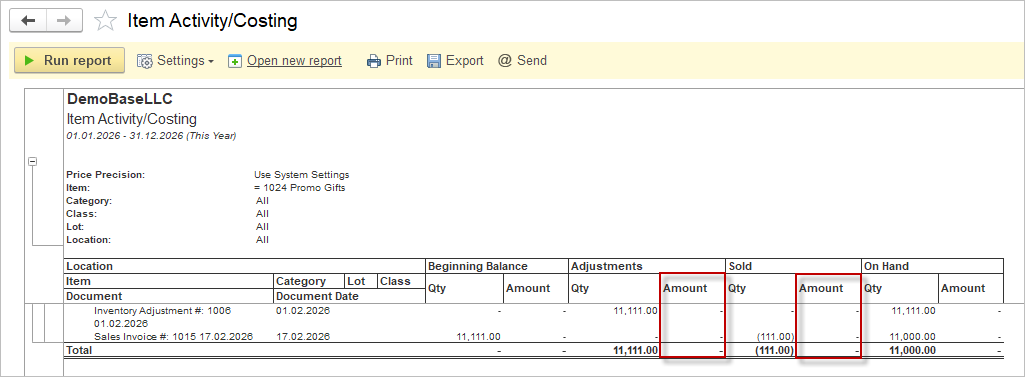
Scenario 2. Purchase price not known at the time of Sale #
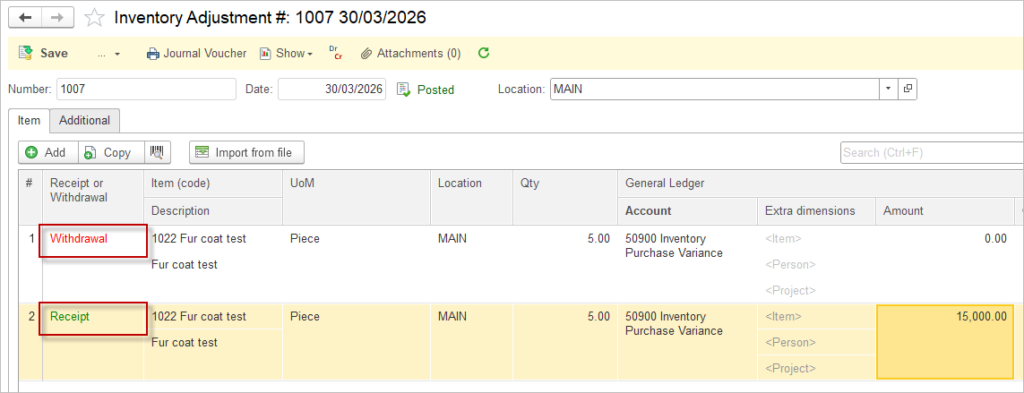
An Item receipt is posted with quantity only, but without any amount, because the inventory cost is not yet known. The inventory is then sold before the Bill is posted.
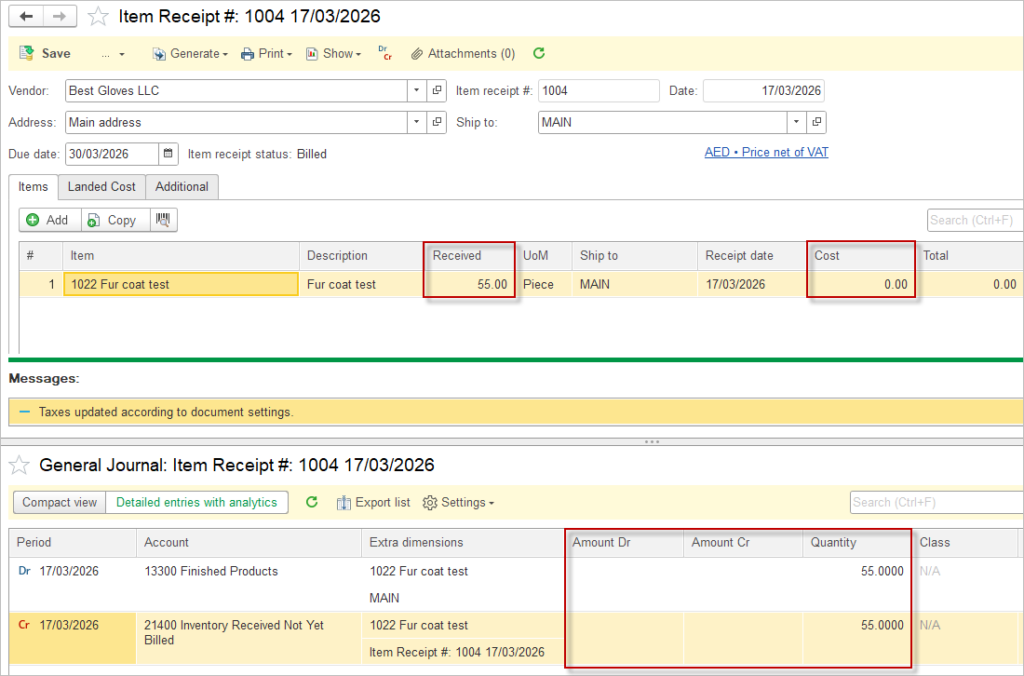
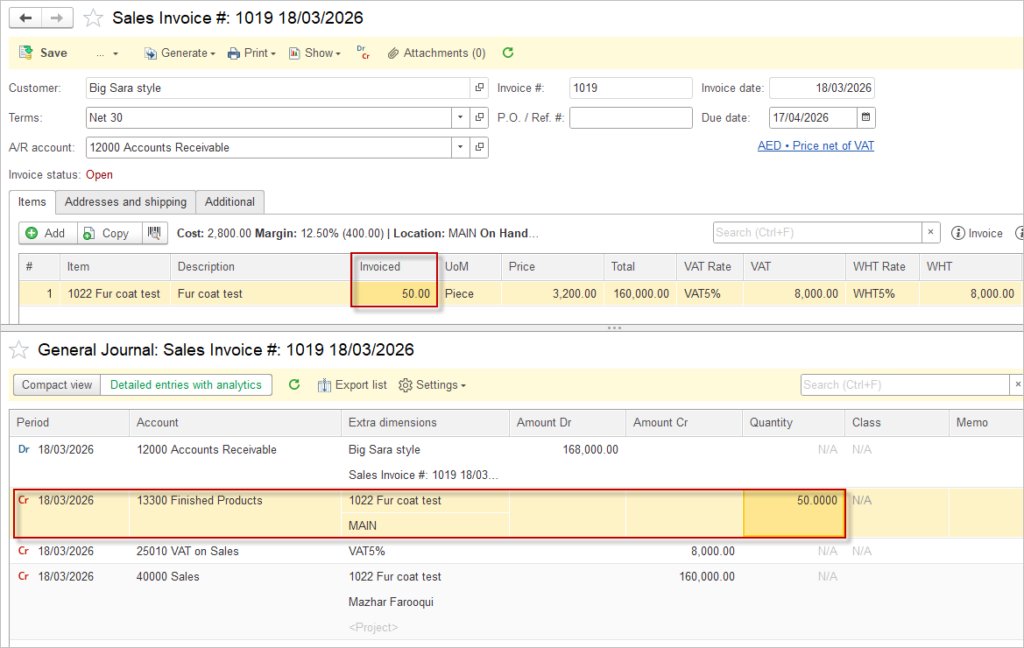
In this case, the Sales Invoice records only the revenue amount and does not post any cost of goods sold, since the inventory amount is still unavailable.
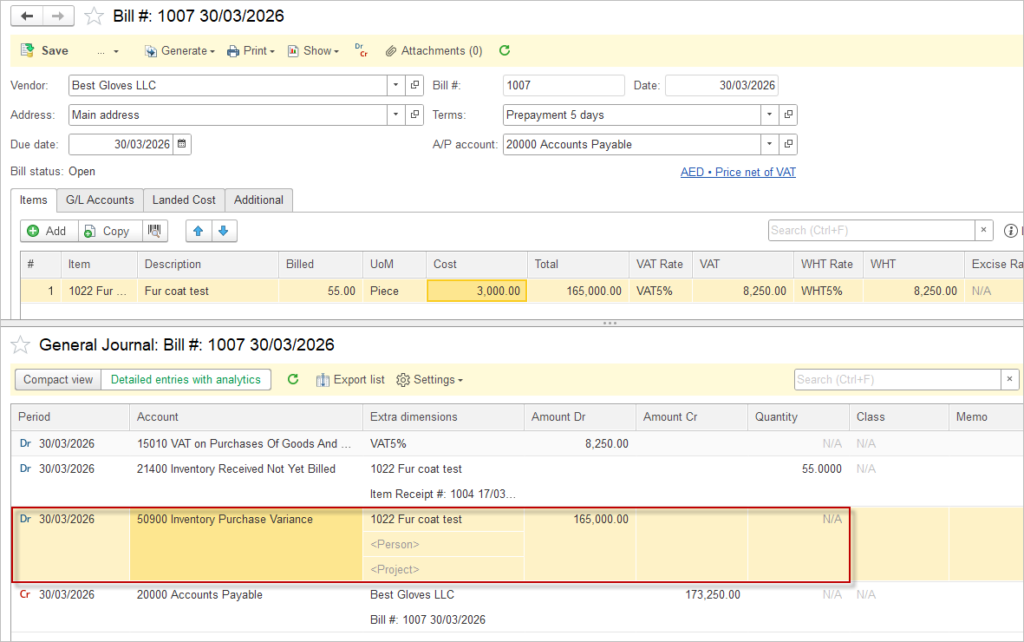
When the Bill is later posted, the system recognizes the actual inventory cost and posts the difference to the Inventory Purchase Variance account defined in the Accounting settings.
It is important to note that if not all of the received inventory has been sold, the system will retain the remaining quantity on hand, but there will still be no amount assigned to that inventory until the purchase invoice is posted. The amount can be assigned via the Inventory Adjustment document.