
Penalties charged to customers for late payments, contract breaches, or other violations represent additional income for your business. Proper recording ensures accurate revenue recognition. Before processing, check if the penalty qualifies as taxable income under local regulations.
Option 1. Non-Taxable Case #
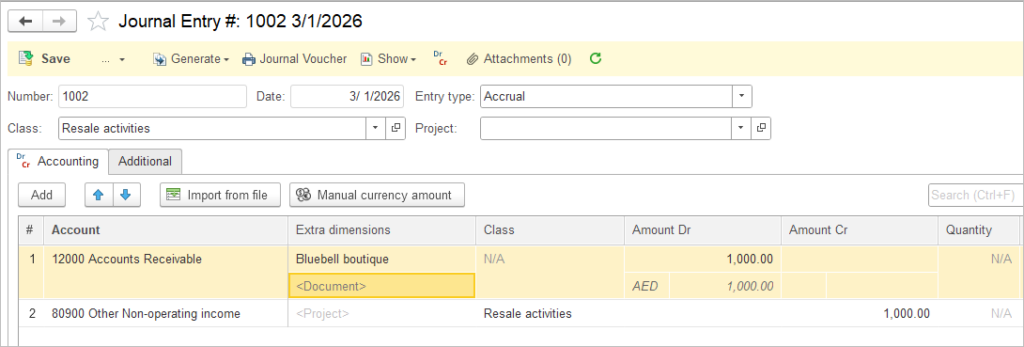
Use a direct Journal Entry. This tracks the penalty without VAT or any other tax implications.
- Debit: Accounts Receivable
- Credit: Penalty Income (Other Income account)
Option 2. Taxable Case #
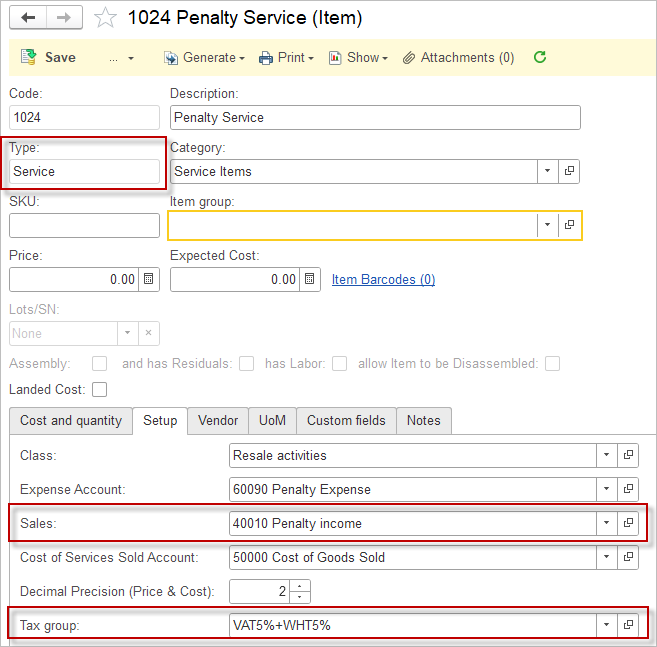
- Create a “Penalty Service” item: type = Service, income account linked to Penalty Income, and assign applicable Tax Group to this Item.
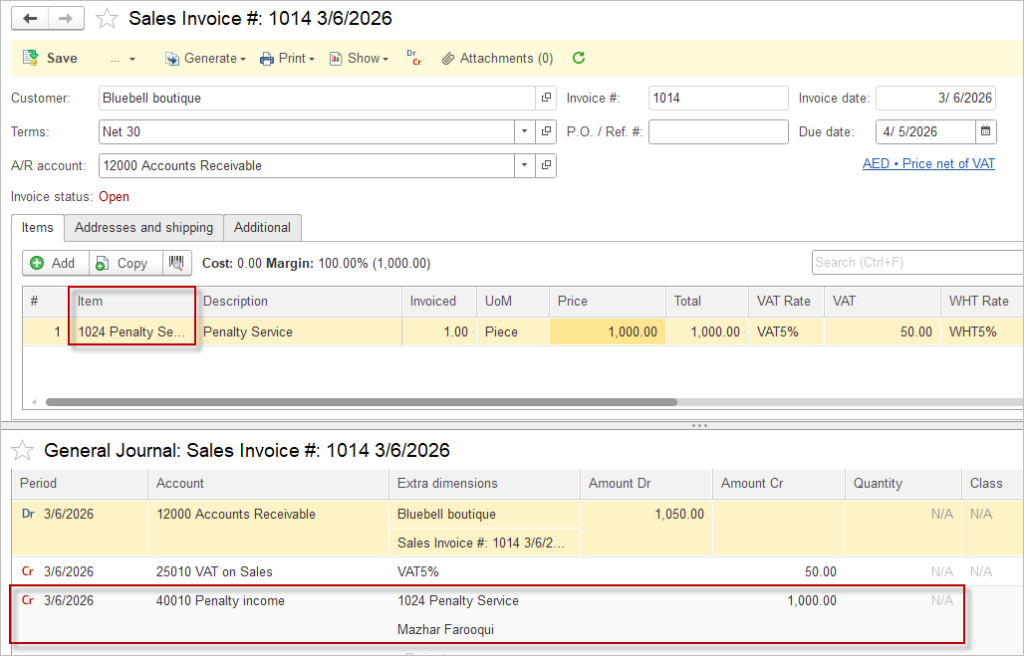
- Generate Sales Invoice: Select Сustomer, add Penalty Service item.
- Sales Invoice creates the following entries:
- Debit: Accounts Receivable (set in the Sales Invoice header)
- Credit: Penalty Income (selected in the Item card)
- Credit: VAT Payable and other taxes if applicable
To record Penalties from Vendors please refer to this article.