
The Exchange Differences document is an internal accounting record used for the calculation and recording of exchange rate differences. These differences arise as a result of changes in the value of a foreign currency between the date a business transaction occurs and the date it is settled, or the date of balancing at the end of an accounting period.
Exchange Rate Differences #
Exchange rate differences can be positive or negative, depending on the direction of the exchange rate movement and the type of business transaction.
- A positive exchange rate difference occurs when the exchange rate moves in favor of the company. This happens in the following situations:
- When you have a receivable from a customer (they owe you money) and the exchange rate increases by the payment date – you have collected more than you invoiced
- When you have a liability to a supplier (you owe money) and the exchange rate decreases by the payment date – you have paid less than you owed
- A positive exchange rate difference is recorded as income in the accounting books.
- A negative exchange rate difference occurs when the exchange rate moves against the company. This happens in the following situations:
- When you have a receivable from a customer (they owe you money) and the exchange rate decreases by the payment date – you have collected less than you invoiced
- When you have a liability to a supplier (you owe money) and the exchange rate increases by the payment date – you have paid more than you owed
- A negative exchange rate difference is recorded as an expense in the accounting books.
Settings: Chart of Accounts #
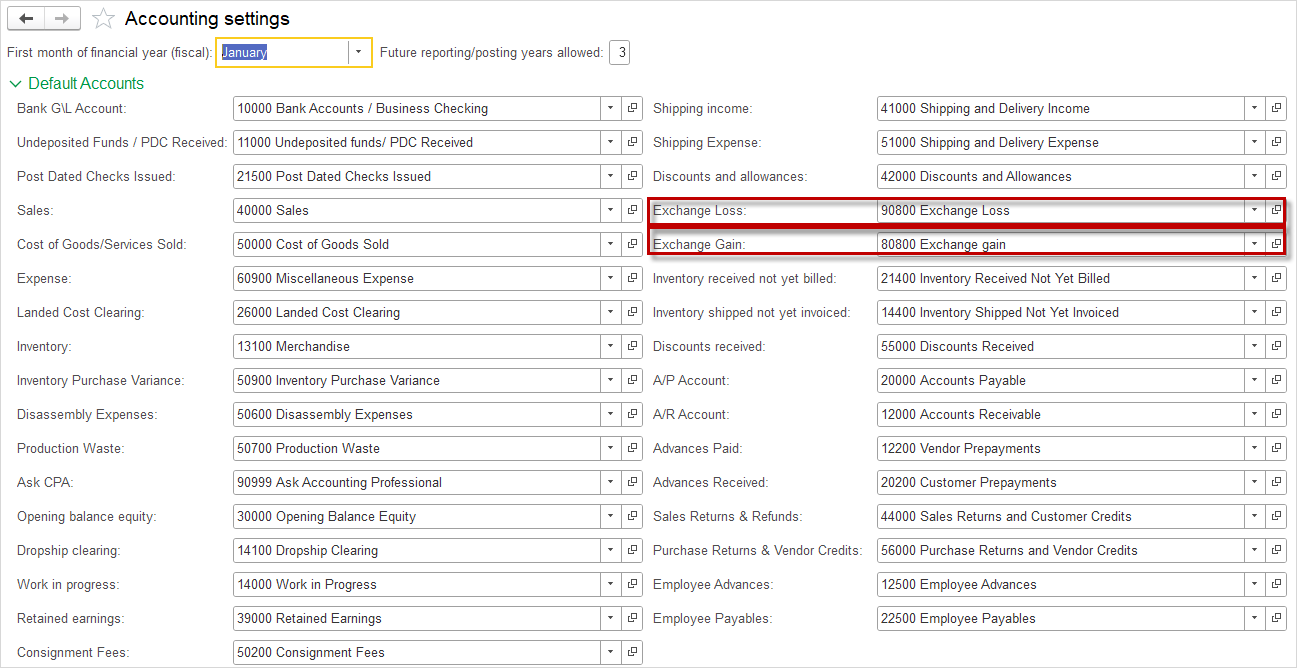
Navigate to Admin panel – Accounting settings – Default Accounts.
In the Default Accounts tab, it is necessary to define the appropriate accounts for the Exchange Loss and Exchange Gain fields. These fields are used for the automatic recording of exchange rate differences arising from transactions in foreign currency.
- Exchange Gain represents the account to which income from positive exchange rate differences is posted.
- Exchange Loss represents the account to which expenses from negative exchange rate differences are posted.
Defining these accounts is necessary to enable the system to automatically calculate and record exchange rate differences during invoice payments and at the closing of accounting periods, thereby ensuring the accuracy of financial reports and eliminating the need for manual posting.
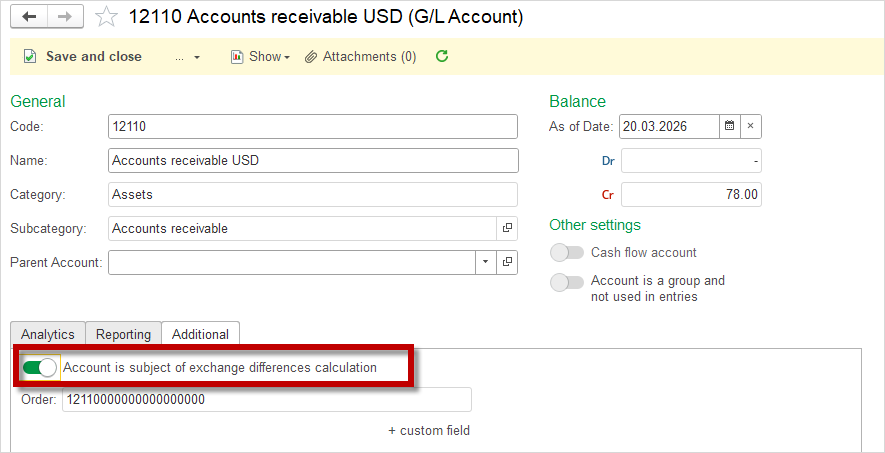
Within the Chart of Accounts, certain accounts have the option Account is subject of exchange differences calculation. This option determines whether the account will be included in the automatic calculation of exchange rate differences during period closing or invoice payments.
When this option is enabled, the system will for that account:
- Track balances in foreign currency
- Calculate exchange rate differences upon rate changes
- Automatically generate postings to the Exchange Gain or Exchange Loss accounts
When this option is disabled, the account will not participate in the exchange rate difference calculation.
Settings: Schedule jobs #
The system automatically calculates Exchange differences according to a predefined schedule, without the need for manual initiation.
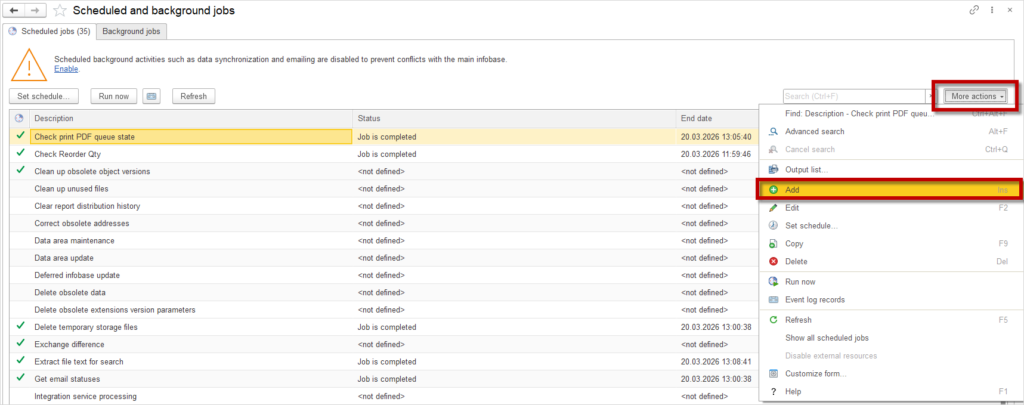
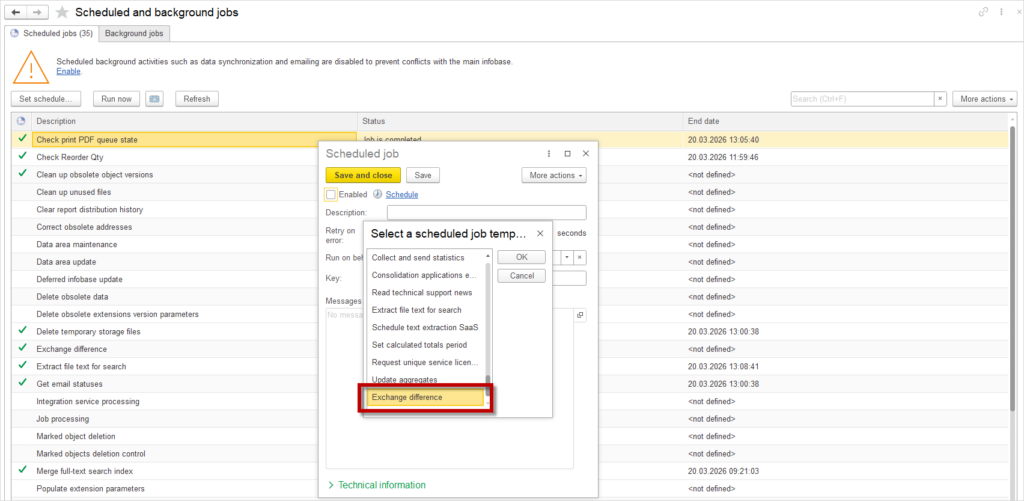
To create a schedule, it is first required to add the Exchange difference to Scheduled jobs.
- Navigate to Admin Panel → Update and Service → Scheduled jobs tab – Schedule and background jobs
- In More actions, click Add
- Select the Schedule job template – Exchange difference
- Click OK
- Click Save and close
Instructions for creating a Schedule for the Exchange difference can be found on the Scheduled and background jobs page.
Creating an Exchange Differences Document #
- Navigate to Accounting – Exchange Differences
- Click the Create button.
- The document can be created for today’s date or for any other selected date.
- Click the Save button.
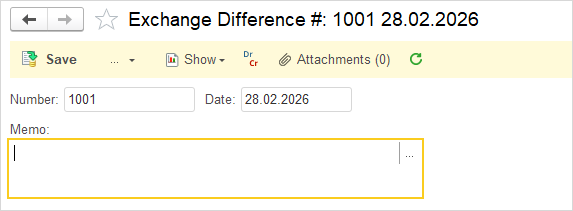
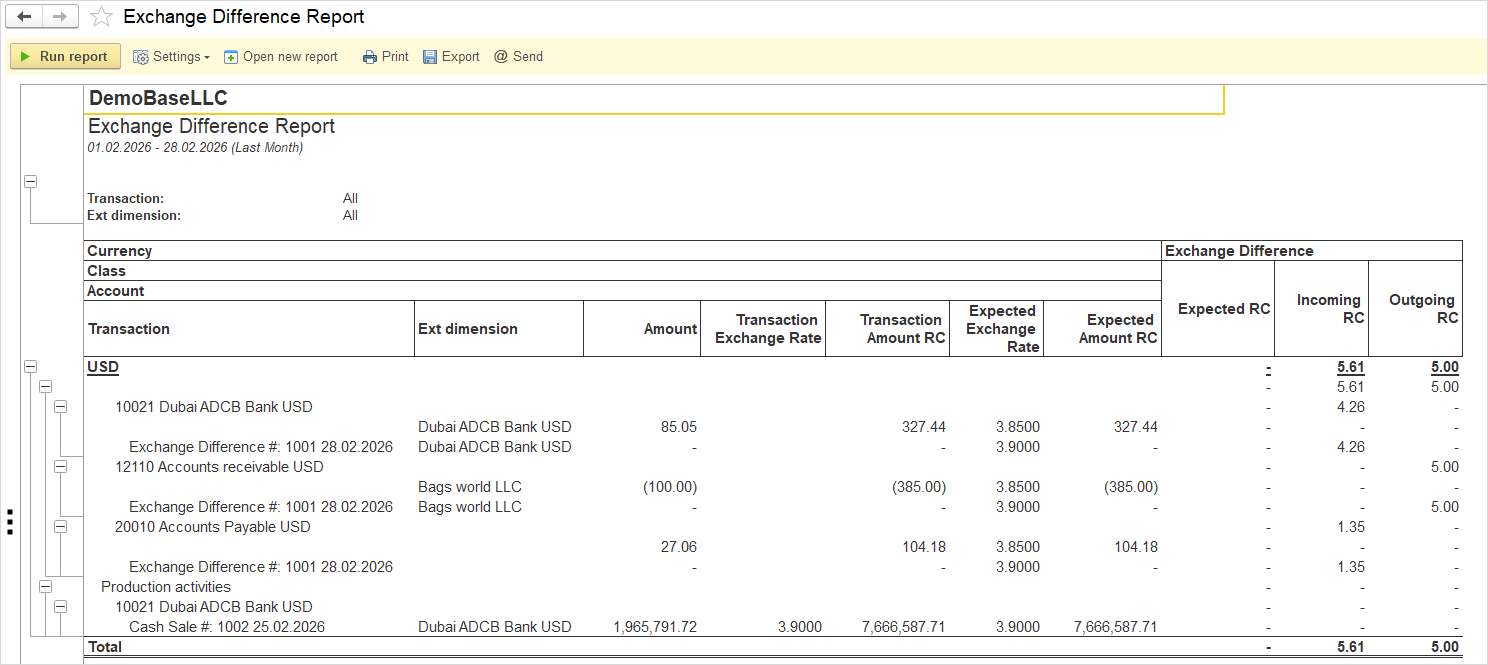
If the Show –Exchange Difference Report button is clicked, the report for the created document will appear.
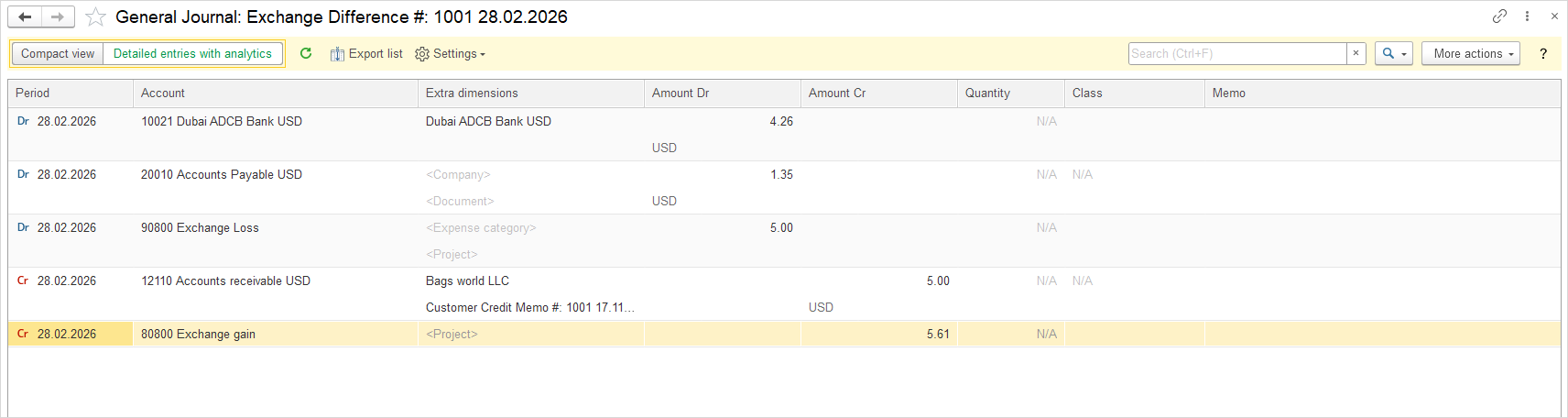
To preview the accounting entry before posting, click the Dr/Cr button. This opens the General Journal: Exchange Difference, displaying the accounting entry with the following information:
- Exchange Loss – the amount of expense arising from negative exchange rate differences, recorded on the debit side (Dr)
- Exchange Gain – the amount of income arising from positive exchange rate differences, recorded on the credit side (Cr)
This preview allows verification of the accounting treatment prior to final posting, ensuring accuracy and proper allocation of exchange rate differences in the financial records.
The logic of the exchange rate difference calculation can be verified by means of the Exchange Difference Report.