
When businesses engage in cross-border transactions or work with international vendors, dealing with multiple currencies becomes inevitable. While the core process of making a payment remains the same, the accounting treatment can vary significantly depending on which currency is used for the purchase order and which is used for the actual settlement. Without proper handling, exchange rate differences can lead to inaccuracies in payables, expenses, and bank reconciliations. This article explores two common scenarios – purchasing in a foreign currency but paying in local currency, and purchasing in local currency but paying in foreign currency – and explains how to correctly record such payments from an accounting perspective.
Scenario 1: Purchase in foreign currency and Payment in local currency #
In this scenario, the company purchases goods or services denominated in US Dollars (USD). The vendor issues an invoice in USD. Payment to the vendor is made in AED.
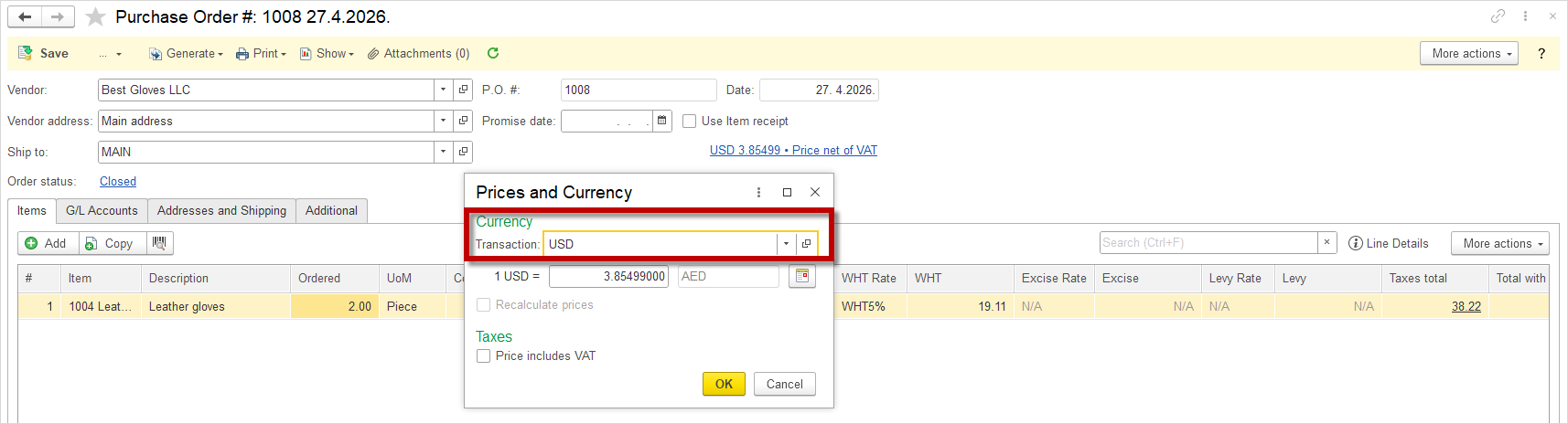
- Create a Purchase Order in USD
- A Purchase Order is created in USD, as the vendor invoices in US Dollars.
- Generate a Bill based on the Purchase Order
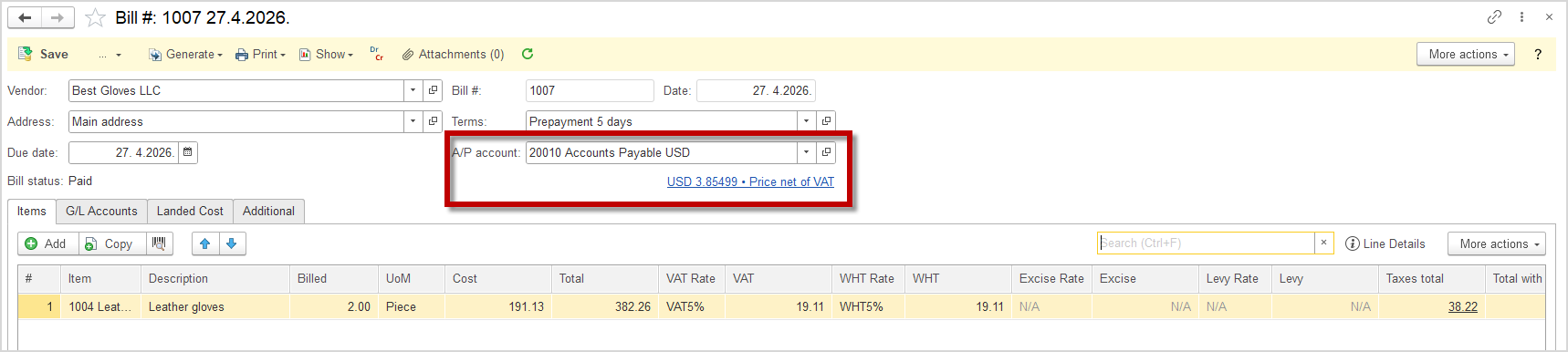
- Upon receipt of the vendor invoice, a Bill is generated. In this Bill, the A/P (Accounts Payable) account must be set to USD.
- Accounts Payable represents the amount the company owes to its vendors for goods or services received but not yet paid. The A/P account is set to USD because the vendor invoice is denominated in USD, ensuring accurate tracking of the liability in the original transaction currency.
- Generate a Bill Payment
- Once the Bill has been created, proceed to the Generate Bill Payment option to process the payment to the vendor.
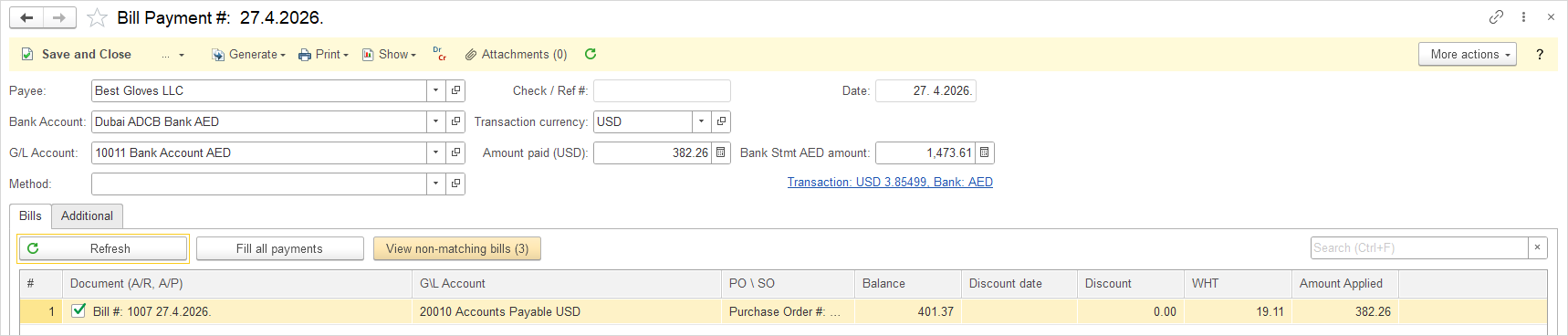
- Select the Bank Account in AED
- In the Bill Payment screen, the Bank Account must be set to AED. This means that the actual cash outflow from the company’s bank account will be in UAE Dirhams. Since the liability is recorded in USD, the system will convert the payment amount from USD to AED using the applicable exchange rate on the payment date.
- Save the Transaction
- Click Save to record the payment. The system will generate the following journal entry:
- Debit the Accounts Payable account (USD) to reduce the liability to the vendor
- Credit the Bank Account (AED) to record the cash outflow
- If there is any exchange rate difference between the date the Bill was created and the payment date, it will be automatically recognized as a foreign Exchange Gain or Loss..
- Click Save to record the payment. The system will generate the following journal entry:

Scenario 2: Purchase in local currency and Payment in foreign currency #
In this scenario, the company purchases goods or services within the country, where the base currency is the UAE Dirham (AED). The vendor issues an invoice in AED. Payment to the vendor is made in USD.
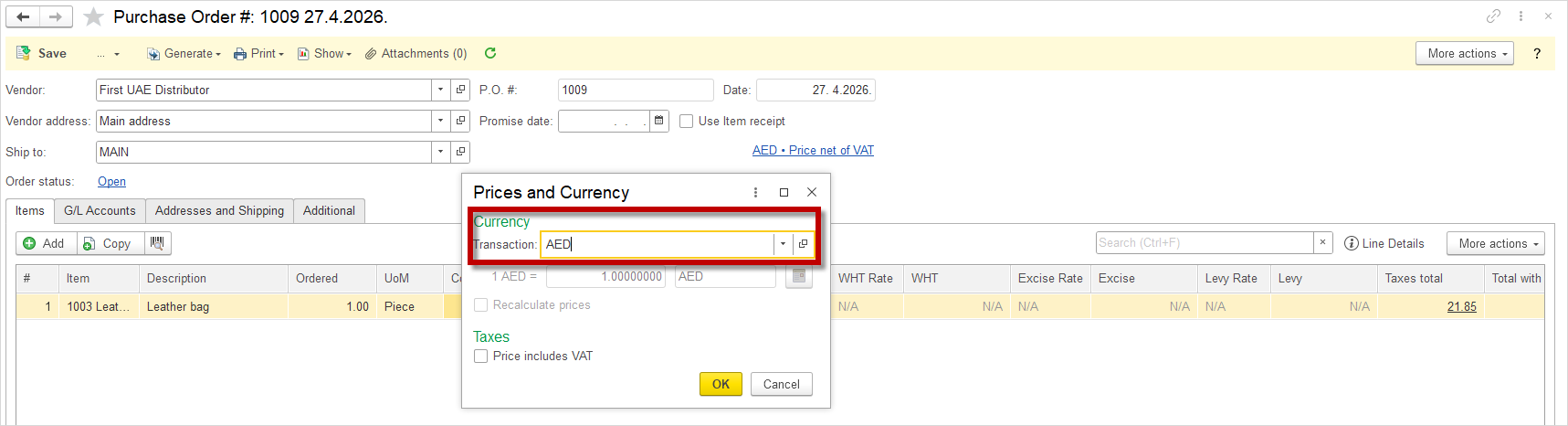
- Create a Purchase Order in AED
- A Purchase Order is created in AED, as the vendor invoices in Dirhams.
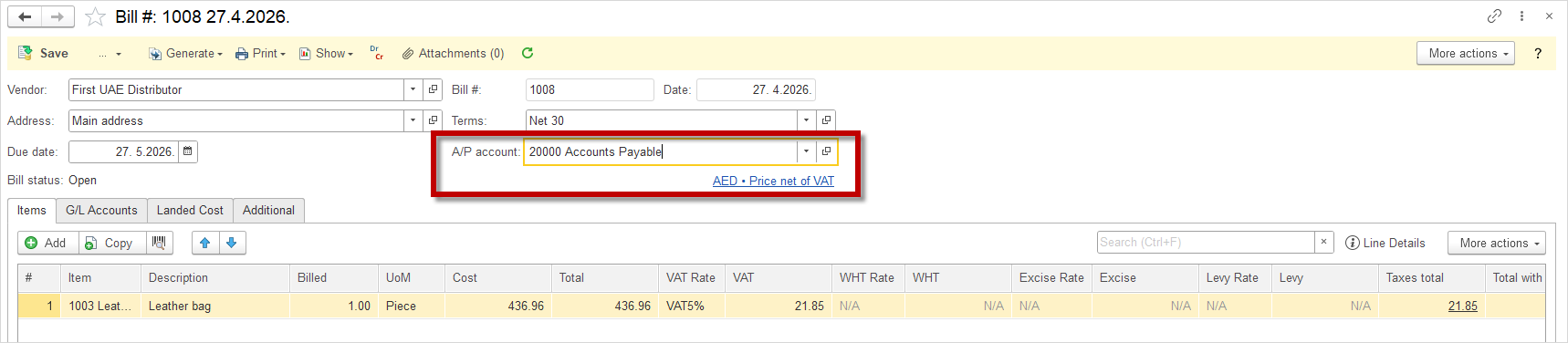
- Generate a Bill based on the Purchase Order
- Upon receipt of the vendor invoice, a Bill is generated. In this Bill, the A/P (Accounts Payable) account must be set to AED.
- Accounts Payable represents the amount the company owes to its vendors for goods or services received but not yet paid. The A/P account is set to AED because the vendor invoice is denominated in Dirhams, ensuring accurate tracking of the liability in the original transaction currency.
- Generate a Bill Payment
- Once the Bill has been created, proceed to the Generate Bill Payment option to process the payment to the vendor.
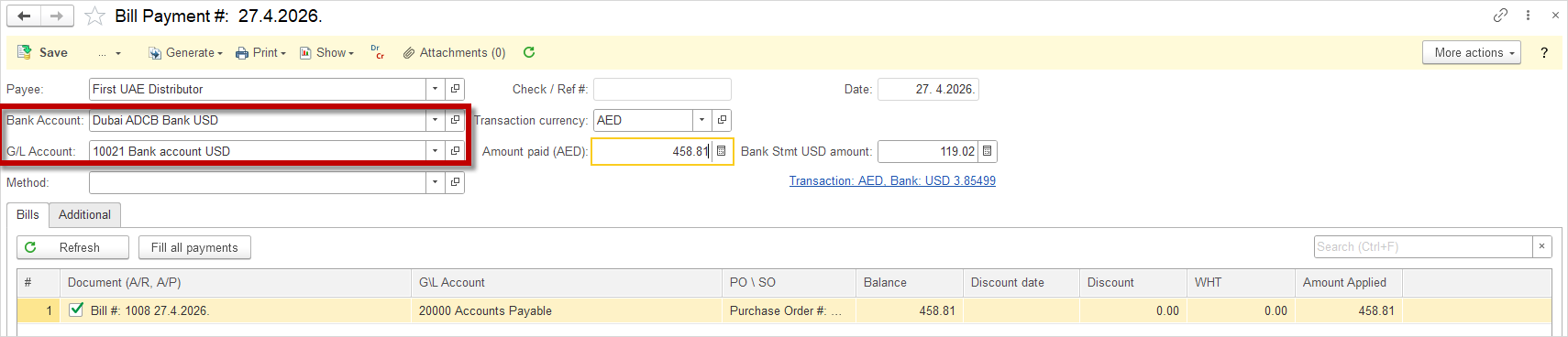
- Select the Bank Account in USD
- In the Bill Payment screen, the Bank Account must be set to USD. This means that the actual cash outflow from the company’s bank account will be in US Dollars. Since the liability is recorded in AED, the system will convert the payment amount from AED to USD using the applicable exchange rate on the payment date.
- Save the Transaction
- Click Save to record the payment. The system will generate the following journal entry:
- Debit the Accounts Payable account (AED) to reduce the liability to the vendor for the original amount in AED.
- Debit the Exchange Loss account (AED) to recognize any loss resulting from the difference between the invoice rate and the payment rate (if the AED has weakened against the USD).
- Credit the Bank Account (USD) to record the cash outflow in USD, converted to AED at the payment date exchange rate.
- Credit the WHT Liability account (AED) to record the withholding tax liability.
- If there is any exchange rate difference between the date the Bill was created (in AED) and the payment date (in USD), it will be automatically recognized as a foreign Exchange Gain or Loss.
- Click Save to record the payment. The system will generate the following journal entry:
