Tax Master Data Setup #
AccountingSuite provides a comprehensive set of tools for managing, auditing, and controlling your business taxes.
With our tools, you can maintain records for VAT, WHT, Levies and Excises obligations. Our application enables you to fully cover your business tax management needs and efficiently settle accounts with tax authorities without the risk of incurring penalties.
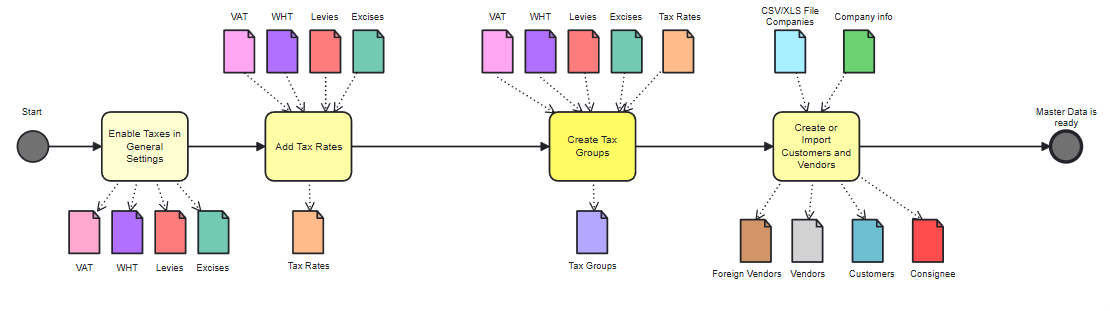
Let’s look at the process of working with the taxing module in the diagrams.
To begin working with the Tax module, proceed to the Tax section in General Settings. Select the tax types relevant to your business.
Next, create the required lists needed for tax operations:
- Taxes – list of all taxes applicable as per local tax legislation requirements.
- Tax Rates – list of rates available for single tax.
- Tax Groups – list of different taxes combined together.
- Customers – list of companies to which goods are sold. To make Consignee check “Consignee” option on a Customer card (read more here).
- Vendors – list of companies from which goods are purchased. To make an overseas vendor “Foreign Vendor/VAT reverse charge” on a Vendor card must be ticked (read more here).
After setting up all required lists and settings you are ready to start tax accounting.
VAT Workflow #
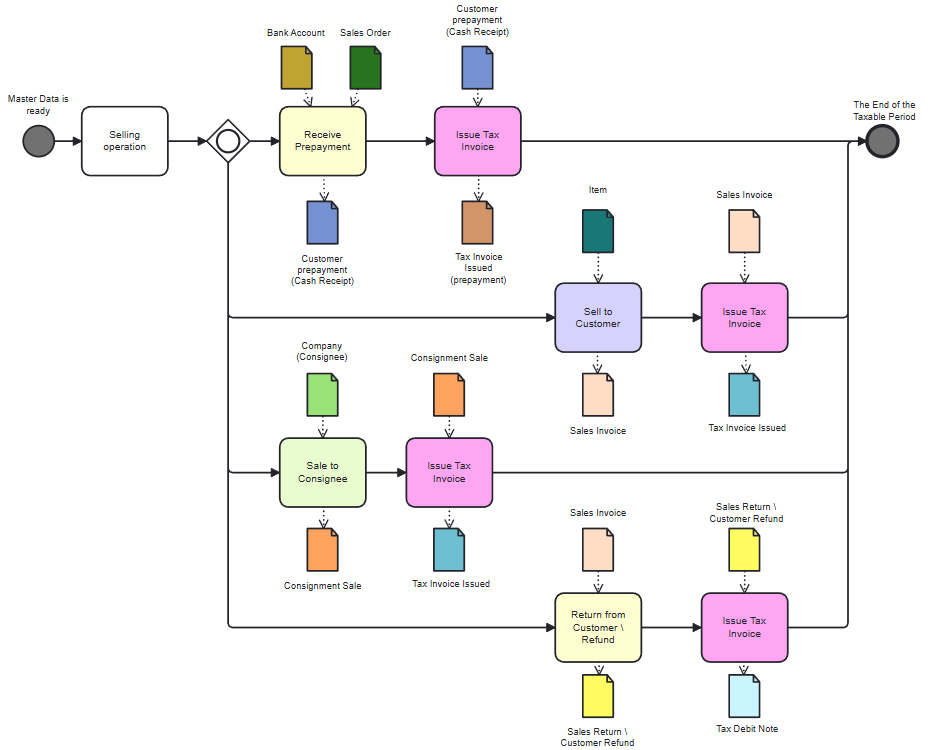
VAT accounting in the sales process:
- Tax Invoice Issued (prepayment) – it is based on a Customer Prepayment document.
- Tax Invoice Issued – it is based on Sales invoice or Consignment Sale document.
- Tax Credit Note – it is based on Sales Return or Customer Refund document.
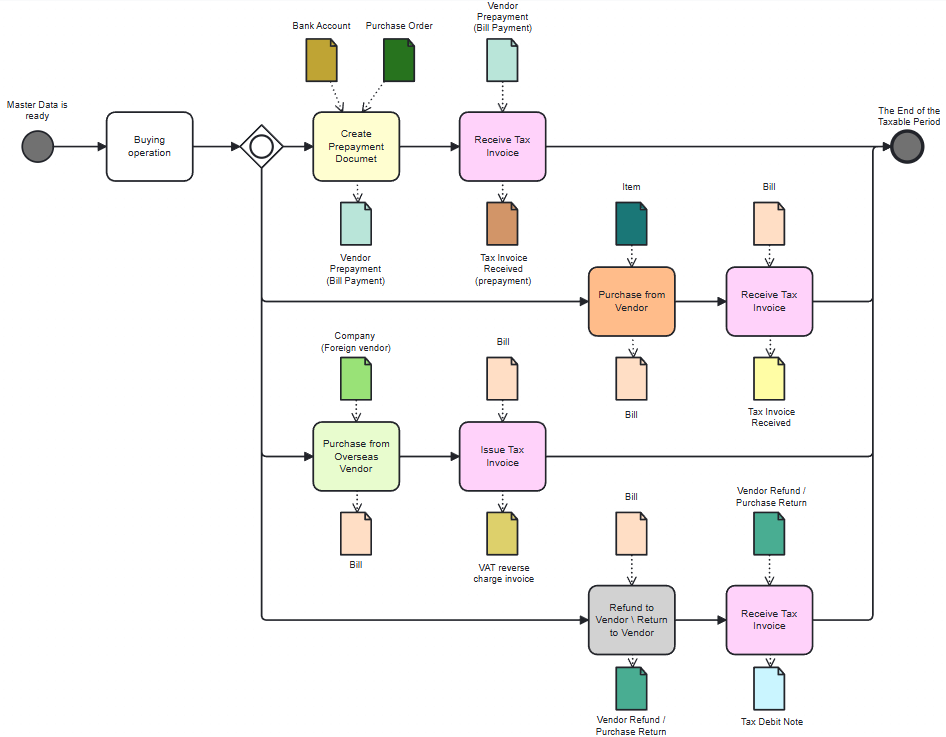
The purchase process on the part of VAT documents:
- Tax Invoice Received (prepayment) – it is based on a Vendor prepayment document.
- Tax Invoice Received – it is based on a Bill (Purchase Invoice) document.
- Tax Debit Note – it is based on Purchase Return or Vendor Refund document.
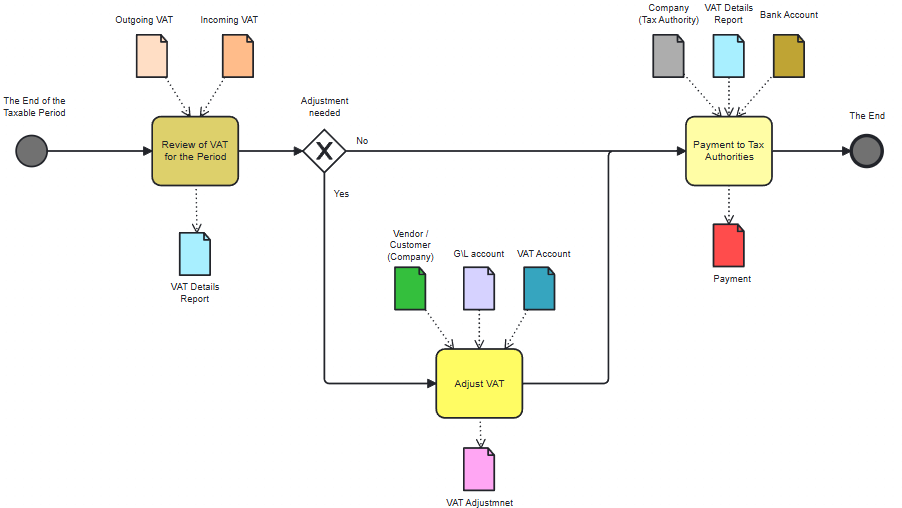
VAT payment process and reporting to the authorities at the end of taxable period:
- VAT Details report – report created for easier analysis of VAT-related operations.
- VAT Adjustment – document designed to correct any contradictions in VAT calculations.