
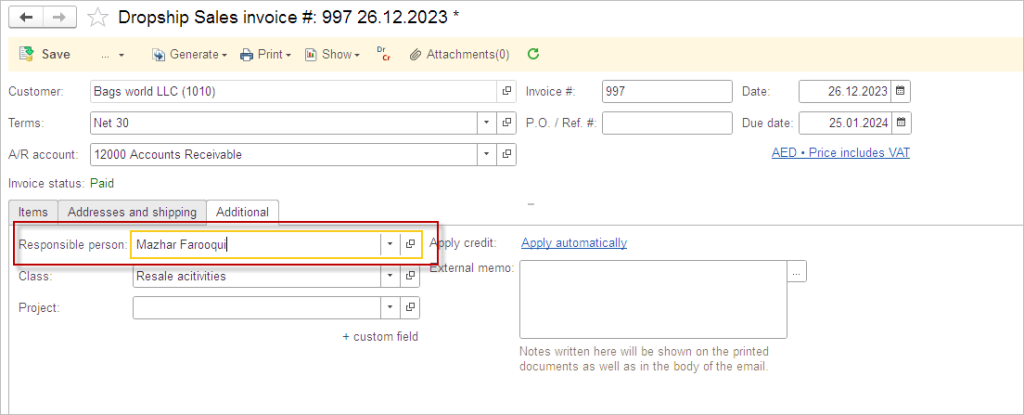
To track the performance of the sales or purchase managers, each sales and purchase document can be assigned to a certain responsible person. This is how the business can evaluate the generated revenue, achievement of sales targets or any other key performance indicators.
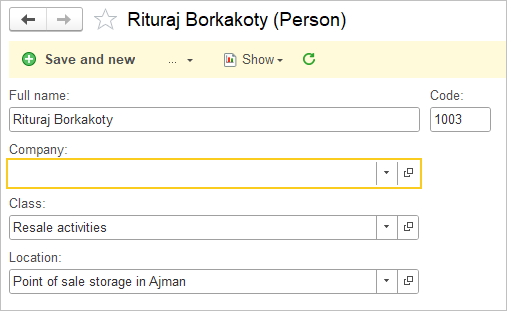
Default Person attributes #
The Persons list includes these attributes: Full name, Company, Class, and Location. Class and Location will be automatically assigned to documents created by the User that is linked to Person. Both Class and Location can be changed manually in the documents.
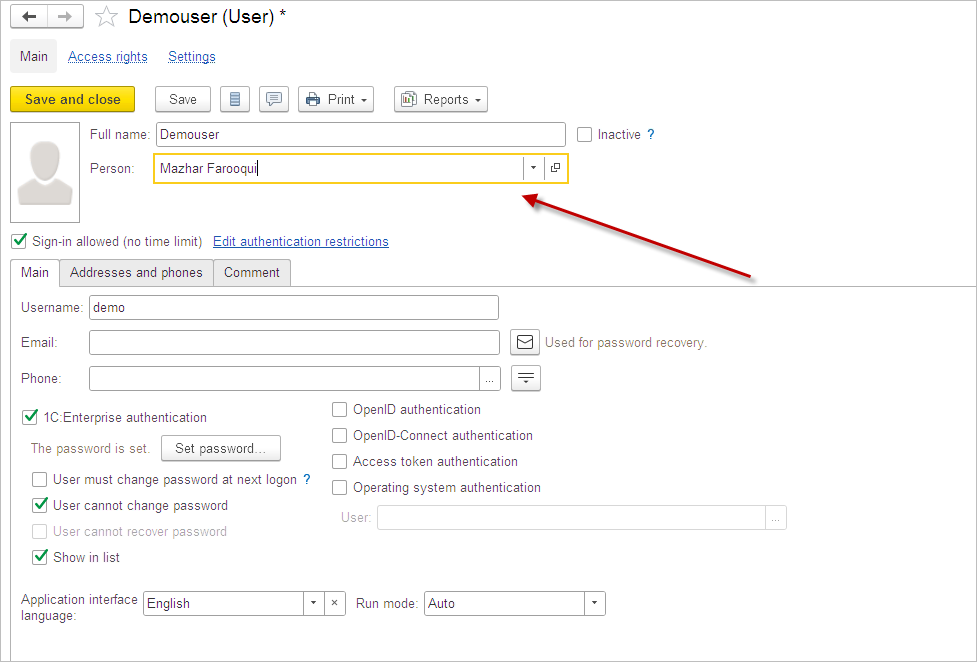
Default Person for User #
You can add Person to the User. And it allows you automatically set Responsible person to any document created by this user. You can also change manually the Responsible person if you are creating documents for someone who is absent now.
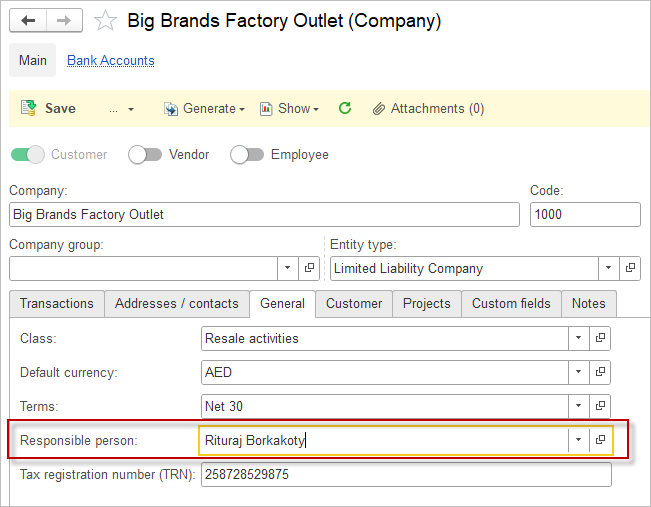
Default Person for Customer or Vendor #
Responsible person field is set on Customer or Vendor cards to assign a specific person in charge of that record. This ensures the field auto-fills on all related sales or purchase documents for this Customer or Vendor.
Responsible Field Population Logic #
| Task/Scenario | Population Source | Required Setting | Who Enters/Selects | Example in Document |
|---|---|---|---|---|
| Responsible for themselves | From the current user’s profile | Fill Person in the User settings | Users themselves (auto-population) | Manager creates an invoice and field auto-fills with Person linked to User |
| Responsible for company/counterparty | From Customer or Vendor card | Fill Person in Customer/Vendor card and Leave Person in the User settings blanc | User enters for someone else | On invoice for customer, field pulls from customer card |