The Balance Sheet presents the financial status of a company using its assets, liabilities and equity. The report presents this for a given moment in time and can be seen as a snapshot of the health of the company. The report represents this snapshot for the last date of the given range.
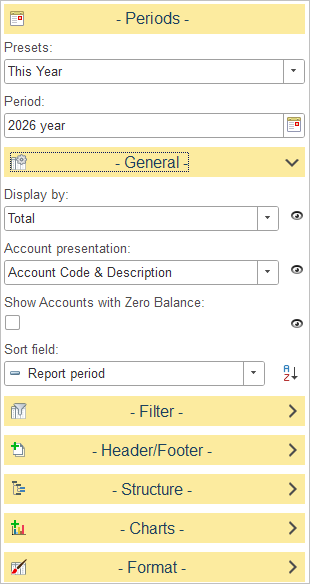
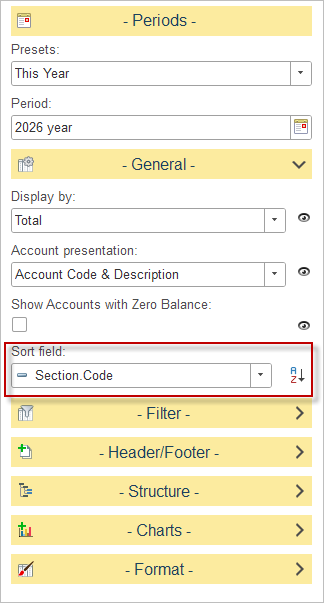
General Settings
The following configuration options are available to tailor the report for analysis:
Display By
Determines how account balances are grouped in the report.
Select one of the available time intervals from the drop-down list. For example, when Years is selected, balances are summarized by reporting year. Other grouping options, such as Days, Weeks, Months, Quartetrs and Total are available.
Account Presentation
Defines how account information is displayed in the report.
Available options:
- Account Code & Description – Displays both the account code and the account description.
- Account Code Only – Displays only the account code.
- Account Description Only – Displays only the account description.
Show Accounts with Zero Balance
A checkbox that, when enabled, includes accounts with no activity or balance in the report.
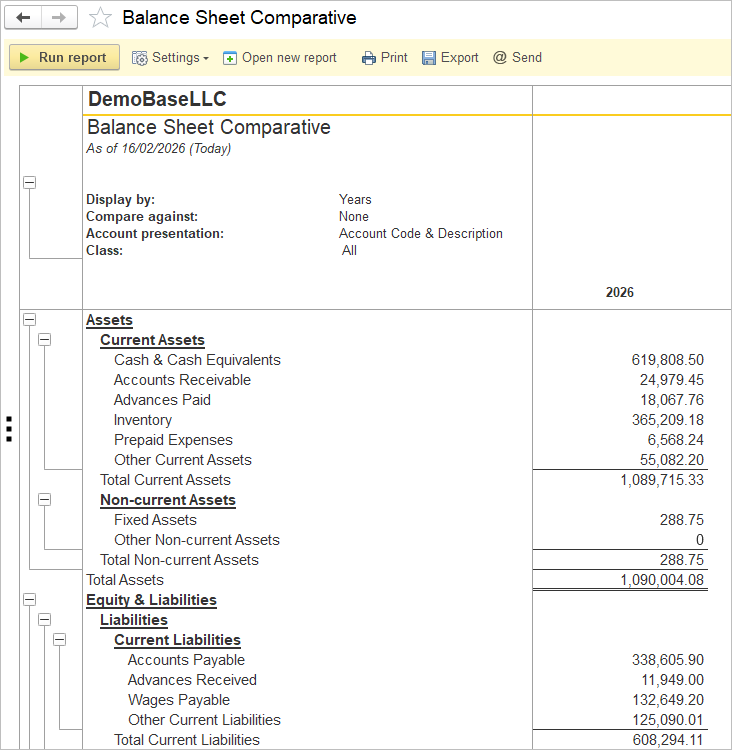
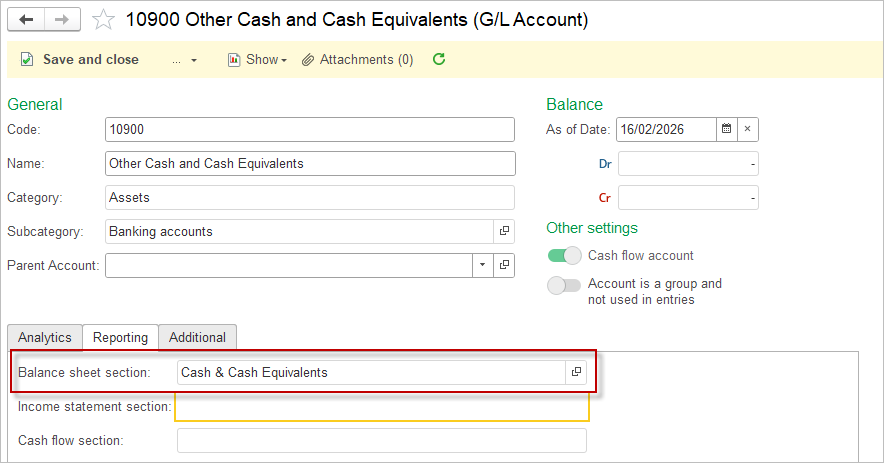
Each balance sheet account is linked to a specific Balance Sheet section attribute that defines its classification within the financial statement.
The Balance Sheet Sections list defines how accounts are grouped and presented in the balance sheet report. Each section represents a specific part of the company’s financial structure and helps organize account balances for clear and accurate financial reporting.
The list is fully customizable, allowing users to create and edit sections to match their reporting standards or organizational structure. This flexibility ensures that the balance sheet layout reflects the company’s unique accounting model and reporting requirements.
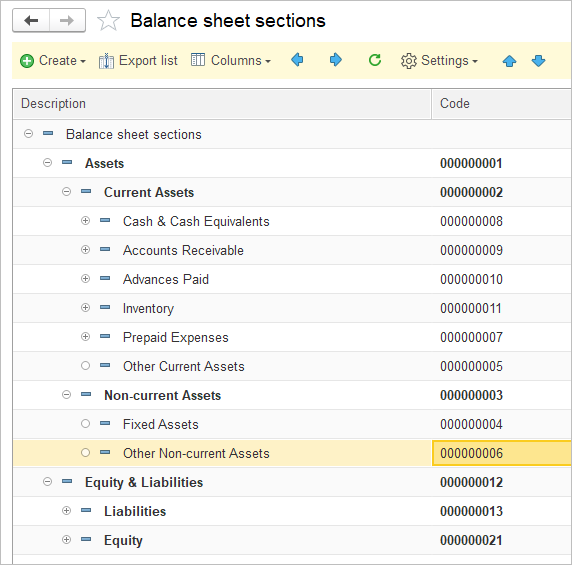
For custom-created sections, users can control their display order by assigning numeric codes to each section and applying sorting based on the section code.